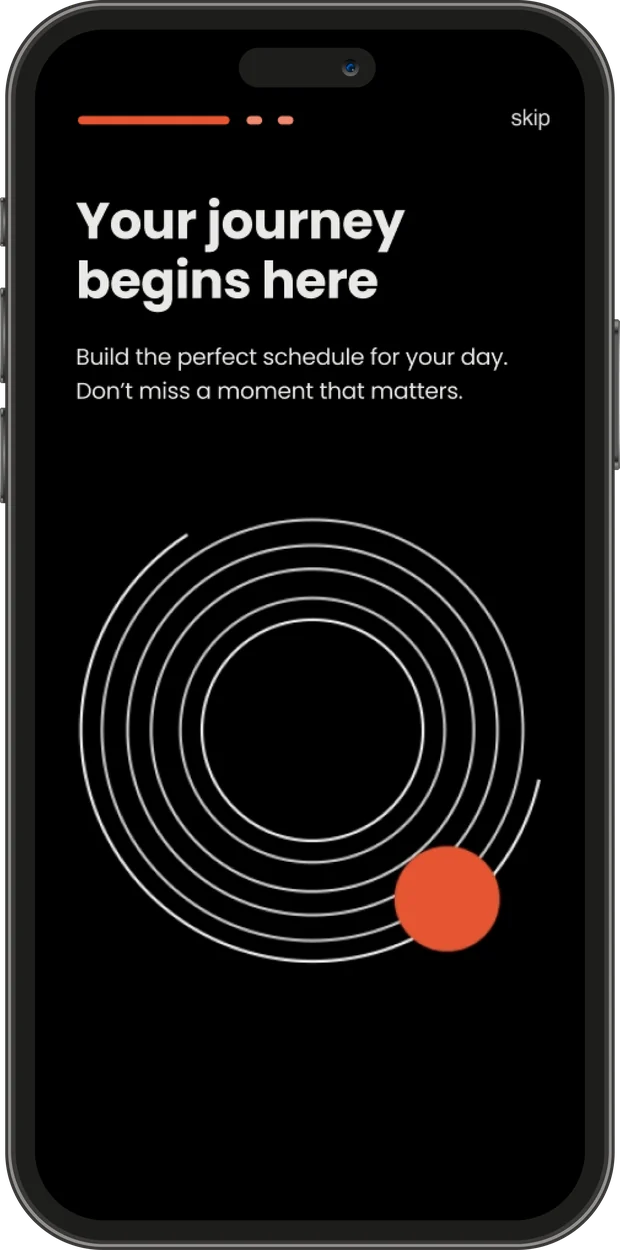
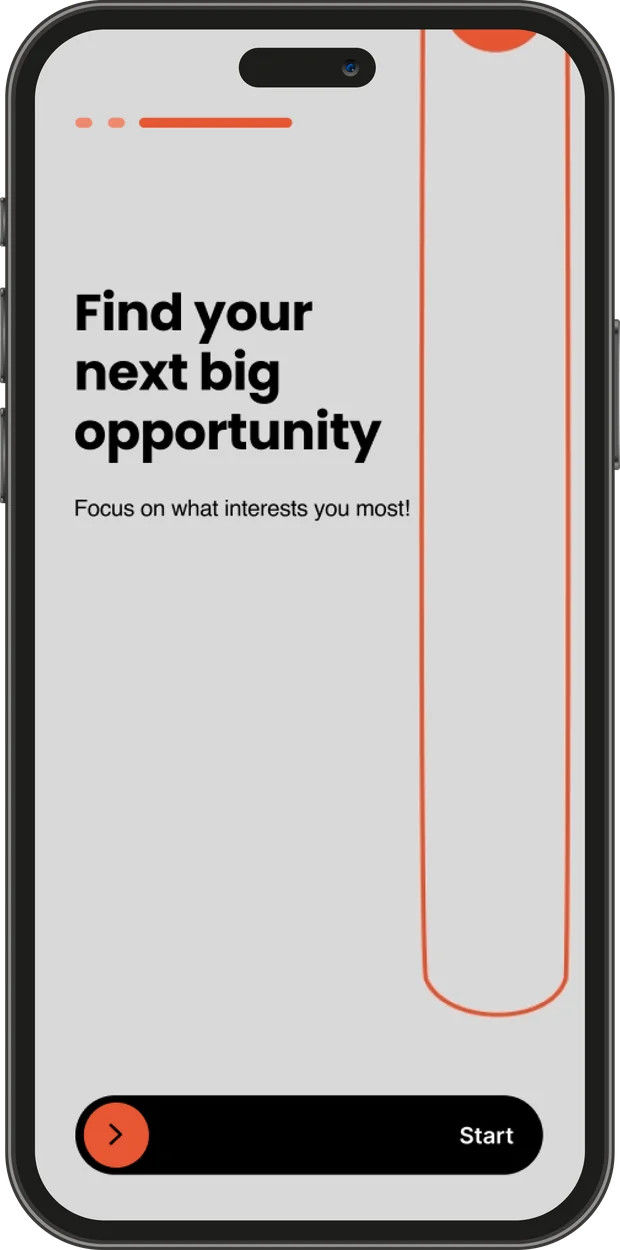
Creating customized schedules and navigating between lectures with real-time updates. We've placed participants at the center, making every conference moment more meaningful and efficient, transforming a logistical challenge into an empowering experience.
- Type
- Academic project with Calcalist
- Platform
- Mobile app
- Prototype
- Marvel app
The problem
Calcalist conferences struggle with overwhelming schedules that create confusion, preventing attendees from accessing valuable content tailored to their needs.
The solution
Building a Personal Schedule for the Upcoming Calcalist Conferences
Design process
- ResearchVP interview
User Survey
In-Depth Interviews
Competitive research - DefineProblem identification
wireframe
UX Wireframe - DesignRebranding
UI - TestingUser testing
Final correction
Research
We built our foundation on thorough research: interviewing Calcalist's VP of Marketing, analyzing competitors, and examining similar applications. This approach gave us clear insights to develop an effective, data-driven strategy.
Market competitor research
We analyzed Calcalist's main competitors in the financial media market to identify differentiation opportunities and competitive advantages. Globes newspaper and TheMarker.
Competitors' Weaknesses
- Excessive advertisements across sites
- Overcrowded content on homepages
- Suboptimal mobile display adaptation
Competitors' Strengths
- Use of unique color palettes that convey credibility (blue-white in Globes, green-black-white in TheMarker)
- Bold headlines and clear fonts that improve readability
- Well-integrated infographics within content
Conference applications research
We explored similar apps to learn what works, analyze UX and key features, and gain insights to shape a clear, standout direction for our product. GeekTime, CalcalistC and Meetup.
Shared Areas for Improvement
- Annoying ads – Large or pop-up advertisements disrupt the browsing experience.
- Lack of Distinction or Organization of Categories – Difficulty in quickly identifying where the user is located or understanding the content structure.
- Technical Performance – Slow down loading times.
Shared Strengths
- Smart use of images – Calcalist uses infographics. GeekTime uses bold, colorful images.
- Diverse Content – Each site focuses on its specialty domain, blending news, opinions, in-depth articles, and more.
In-Depth Interviews
We conducted in-depth interviews with frequent attendees of Calcalist events, aiming to expand on the survey findings. The research helped us better understand their needs, habits, and expectations from the digital experience, and to shape a clearer direction for developing the app.
Read more
Motivation at events
To identify emerging trends early, meet potential partners, strengthen personal branding, and build smart connections.
Pain points
- Disorganized and unclear schedule – overlaps between sessions, difficulty locating key people to meet.
- Difficulty filtering participants – it's not clear who is attending and what their interests are.
- Lack of accurate information about session content – unclear if a talk is worth attending.
Needs
- Ability to identify and meet relevant participants both in advance and on-site. Smart documentation of connections and insights from the event.
- Advance information about session content – including summaries, speakers, and tags.
Read more
Motivation at events
To attend only content that delivers real value — lectures that enhance business and precise meetings for networking or collaboration
Pain points
- Wasted time – hates irrelevant content or lack of planning.
- Difficulty making real-time decisions – insufficient advance info about content and speakers.
Needs
- Advance planning of an efficient, precise schedule based on business interests.
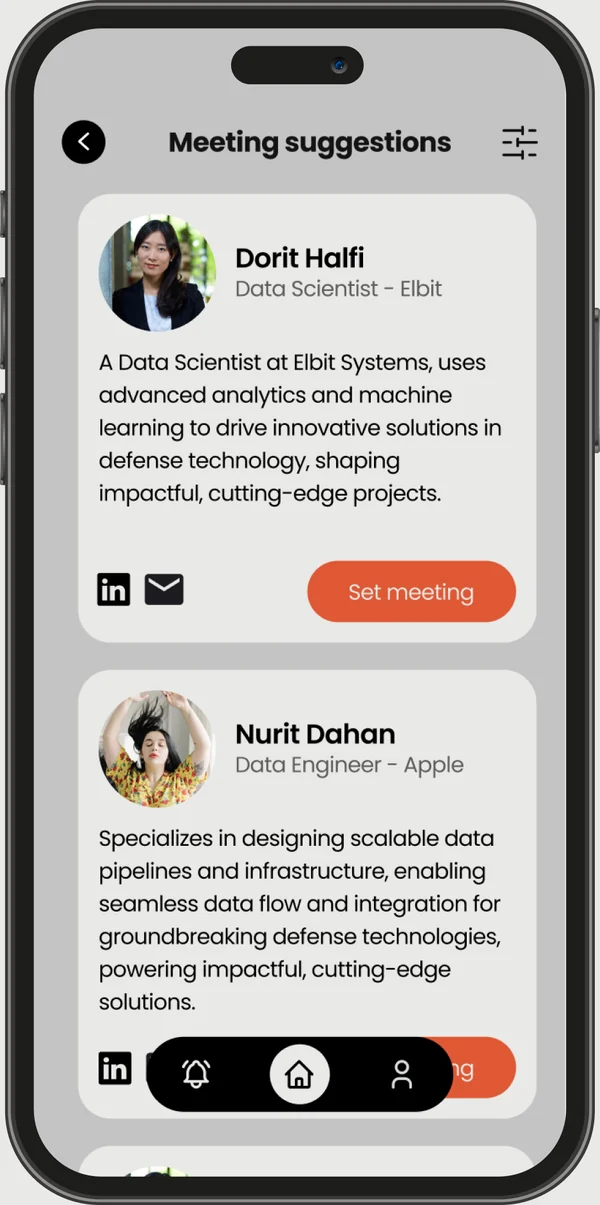
- Ability to schedule meetings in advance with relevant participants.
Key UX Conclusions
- Visual Clarity – A clean, minimal interface communicates professionalism and supports better decisions.
- Mobile-First Experience – The app must function smoothly on-the-go. Real-time usability is critical.
- Quick content discovery – The content should be clear and well-organized.
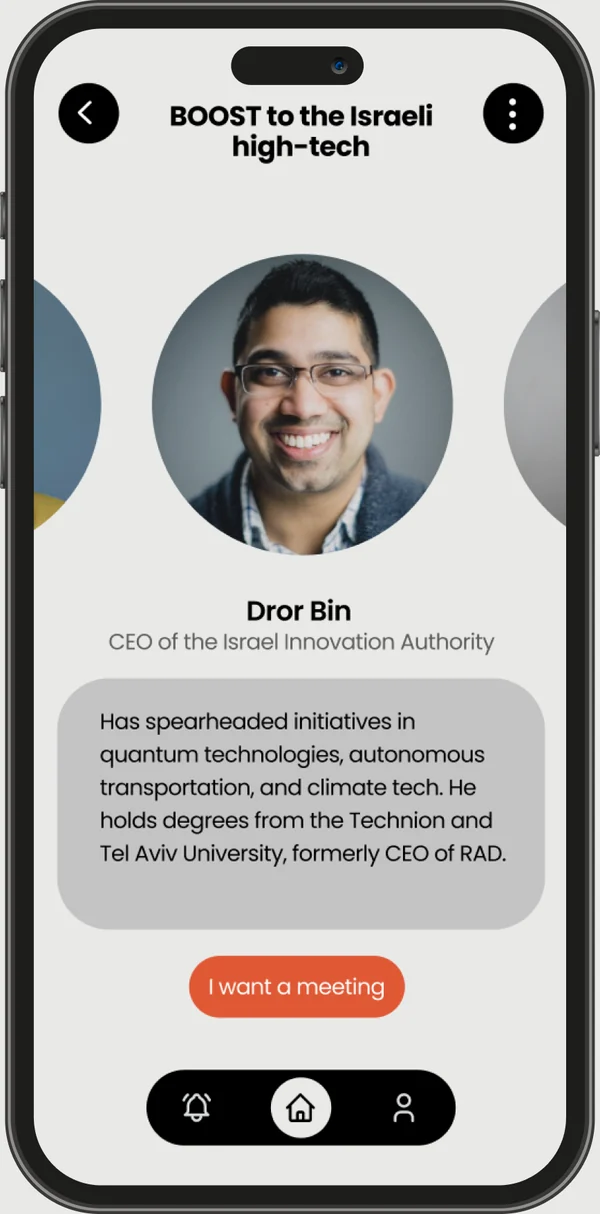
- Personal Relevance – Users want to instantly see “what’s for me” vs. what’s general.
- Stay Goal-Oriented – Every feature should support building a personal schedule. No distractions.
- Smart Navigation – Icons, colors, and visual that help users stay oriented quickly.
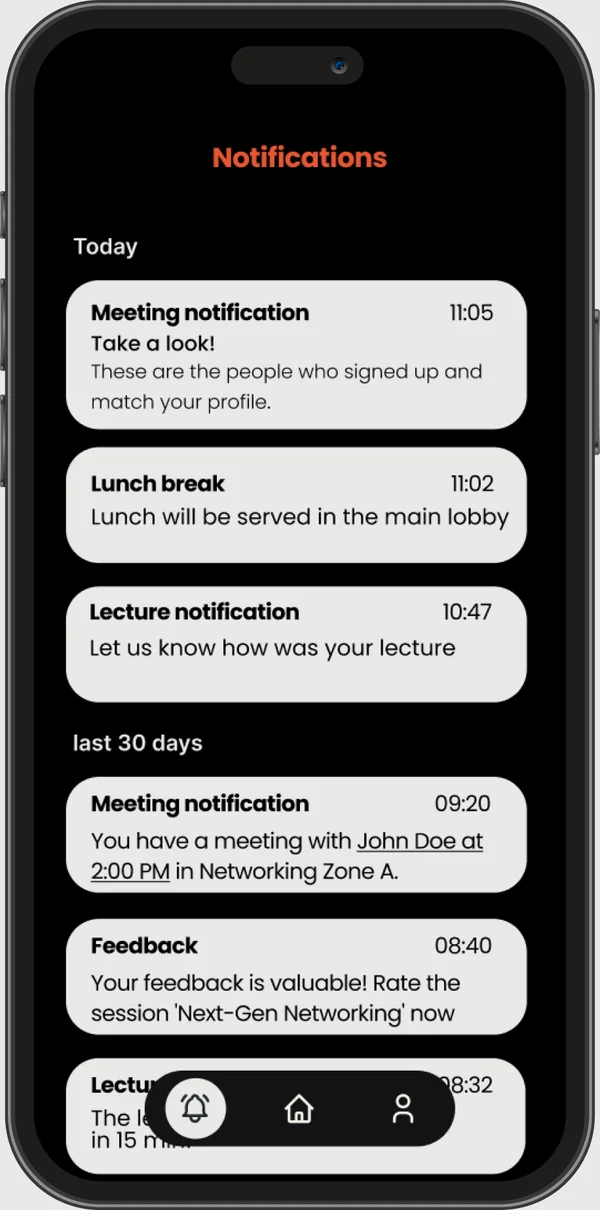
- Time Awareness – Dynamic time indicators (what’s next, what’s overlapping, how long left).
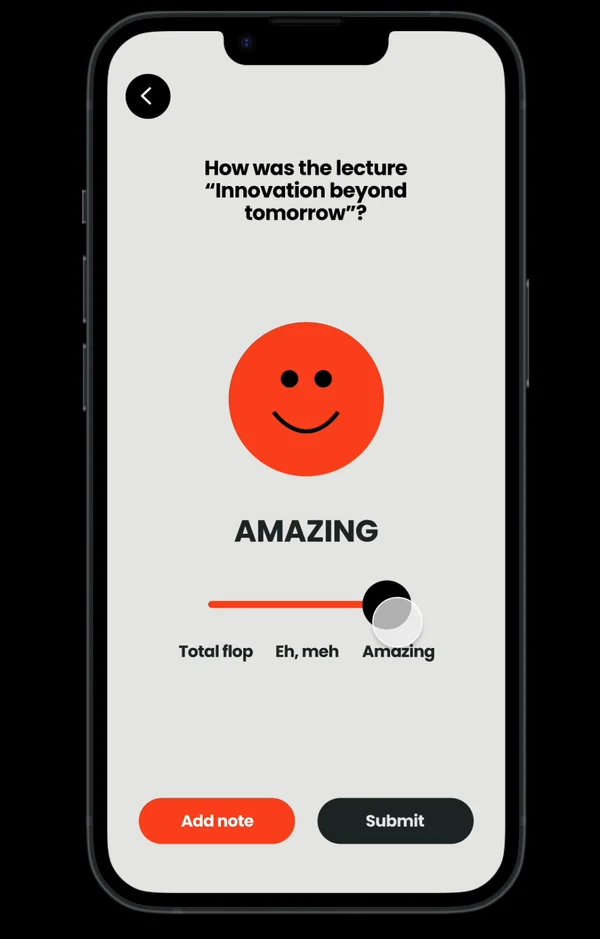
Turn conference into a clear, efficient, personalized experience — putting each user in the right place, at the right time, with the right people.
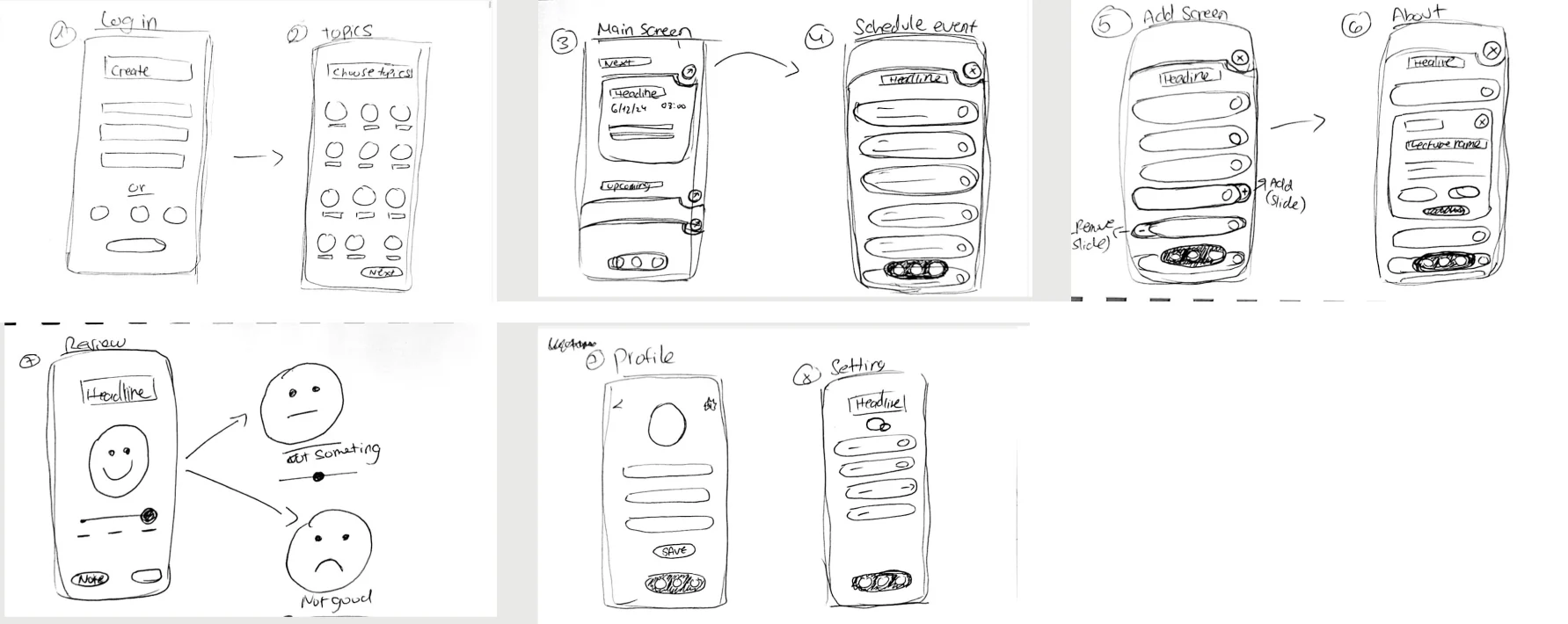
Low-quality wireframe
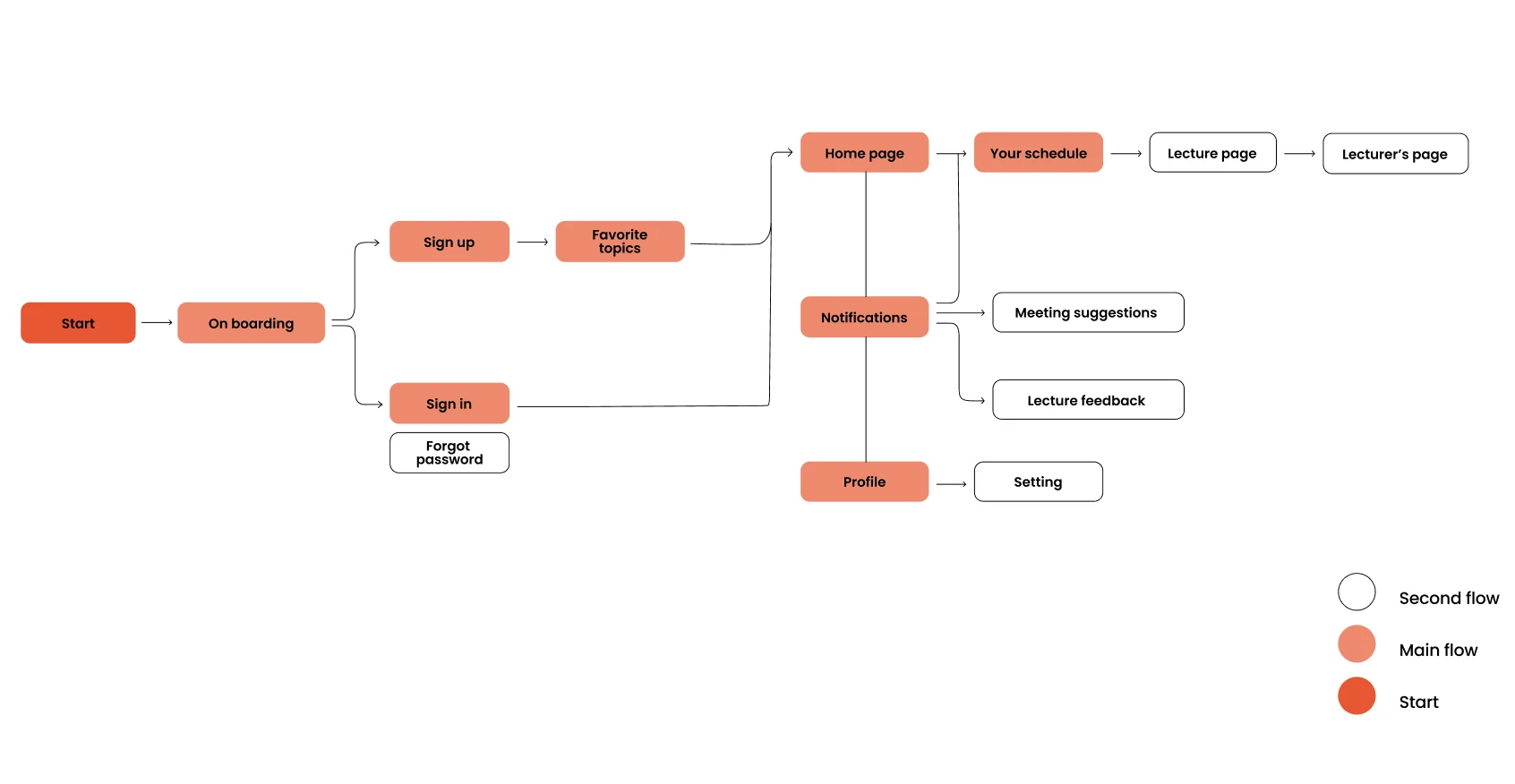
User flow
Start your journey to an unforgettable conference experience
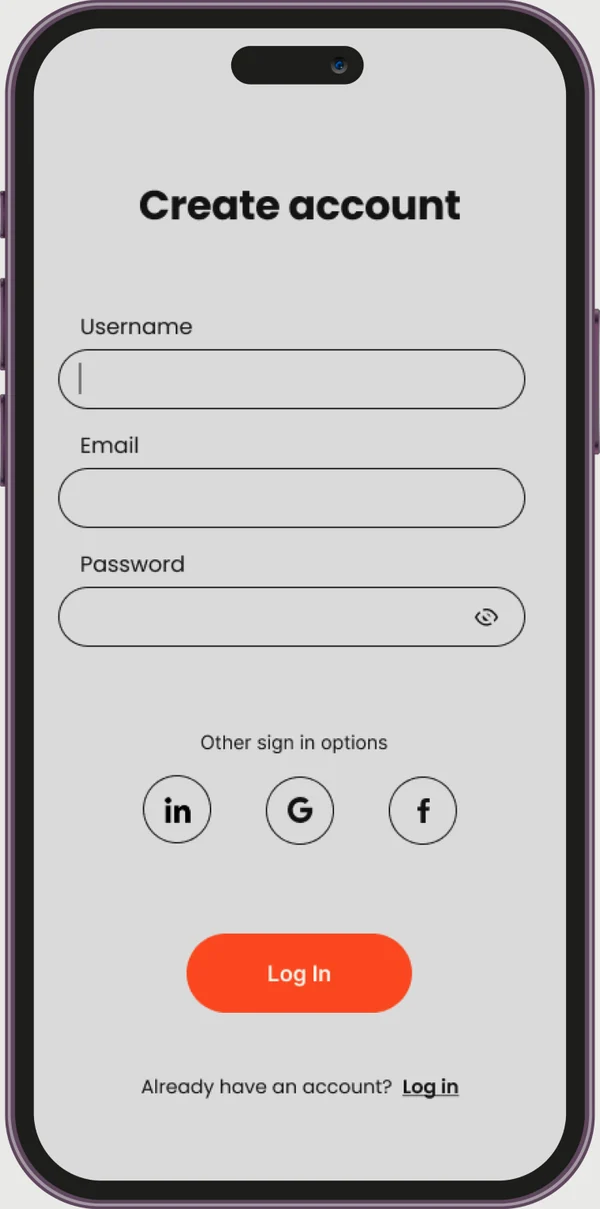
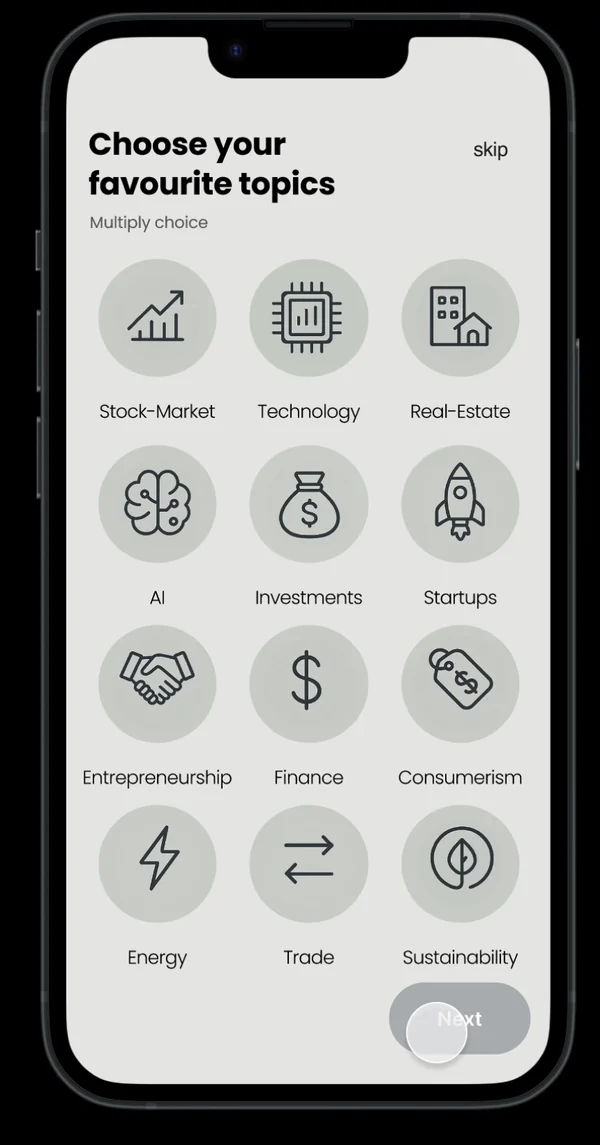
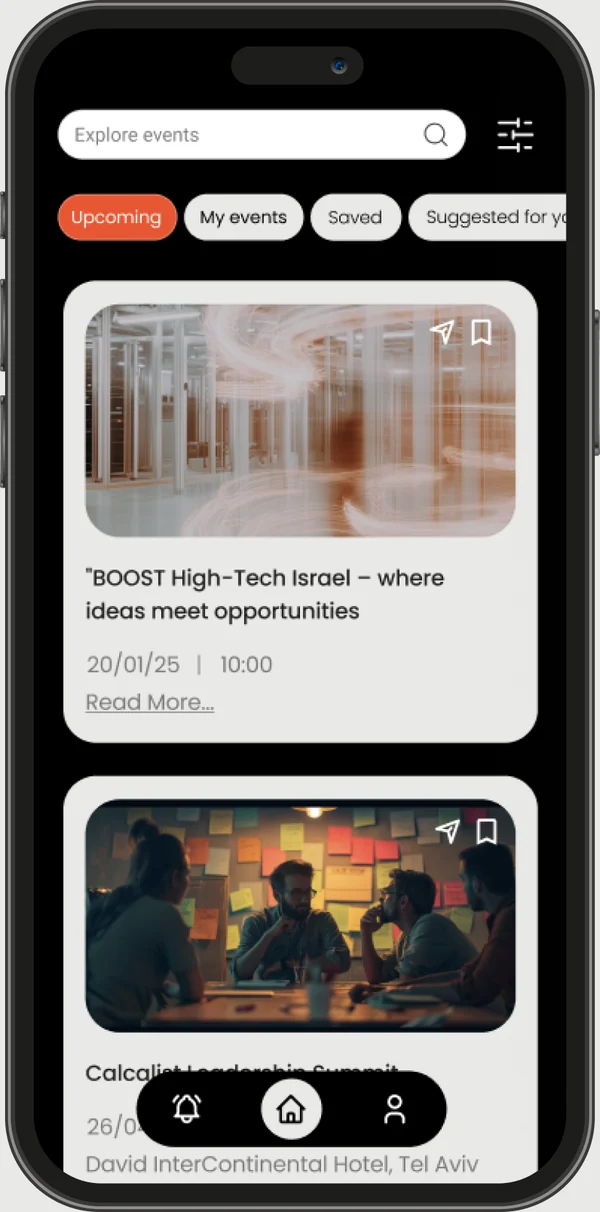
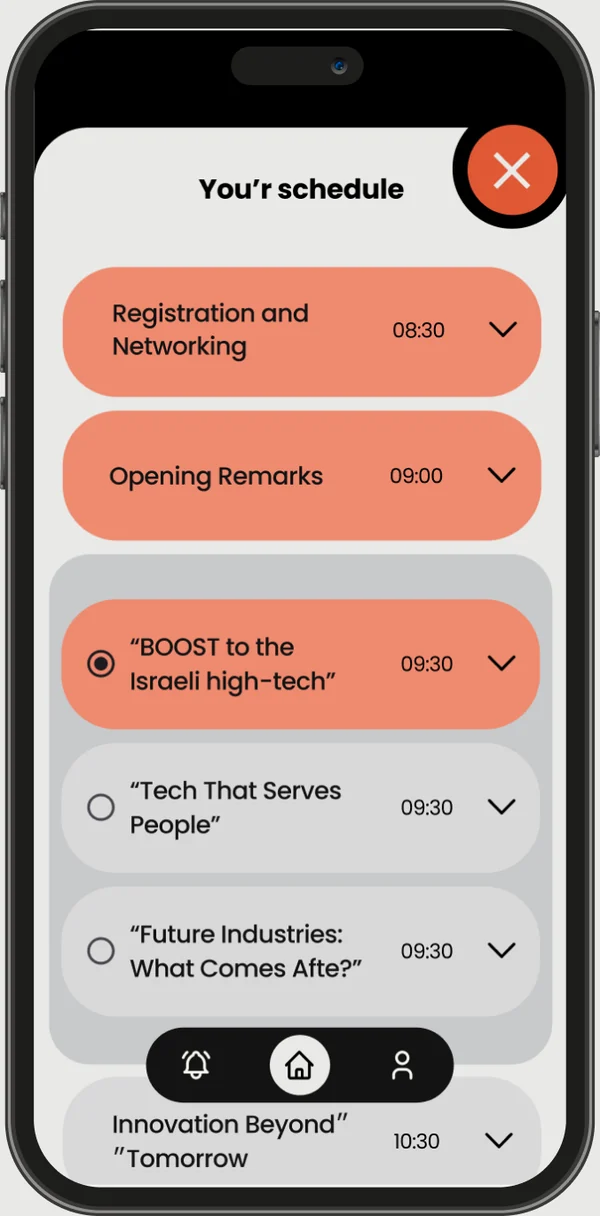
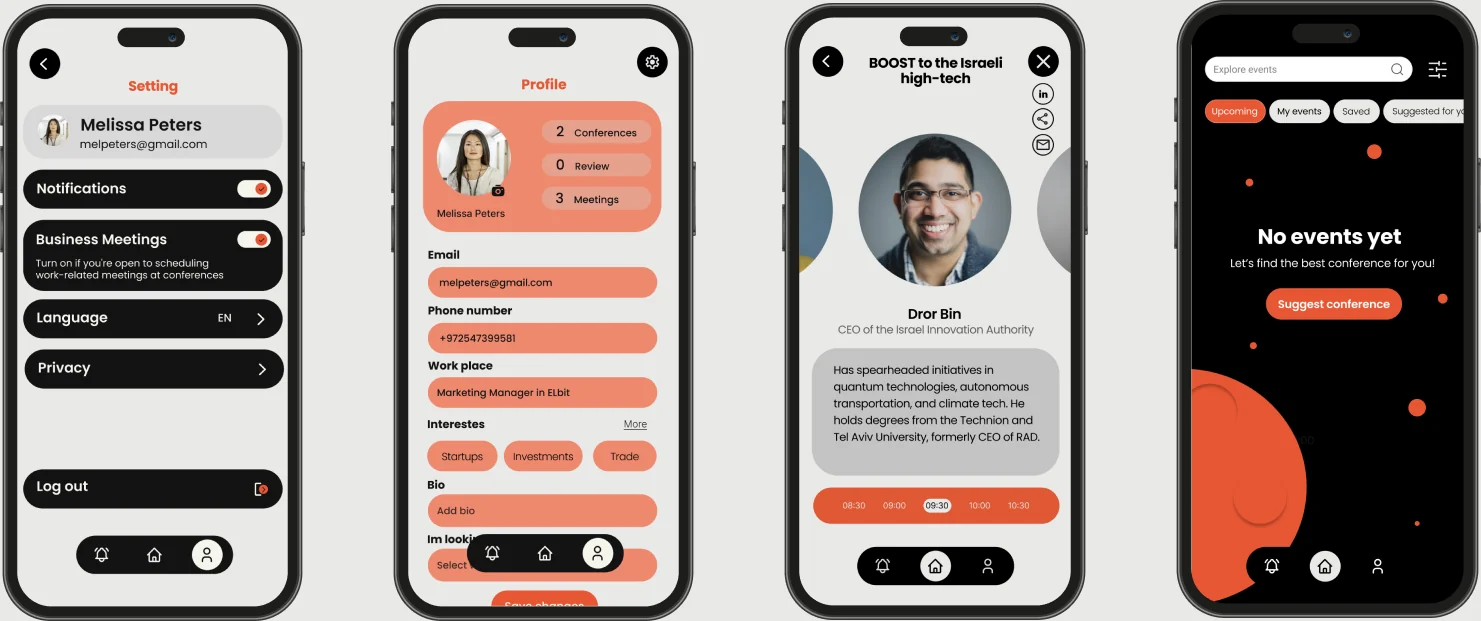
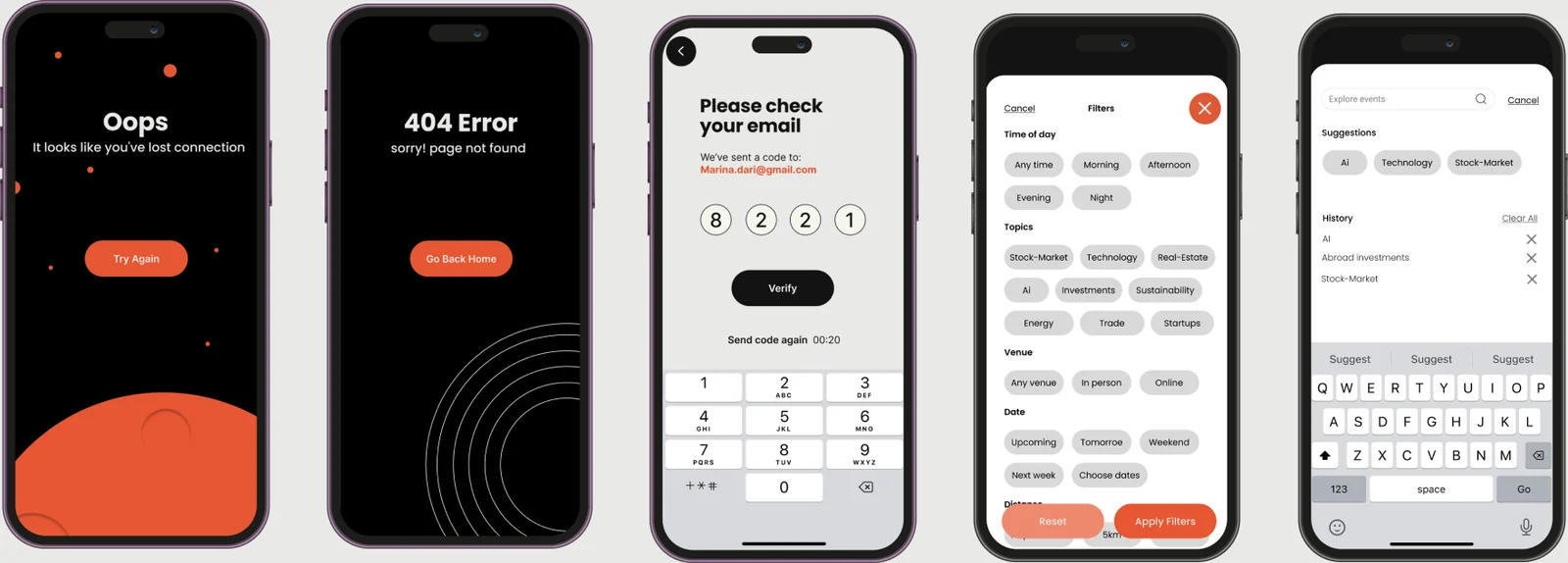
Additional screens
Branding Colors
The color palette is a refined mix of greys, blacks, and vibrant oranges. The neutral tones provide balance and professionalism, while the orange hues bring energy and warmth, emphasizing human connections and innovation—the core values of the app.
Abcdefghijklmnopqrstu vwxyz 1234567890
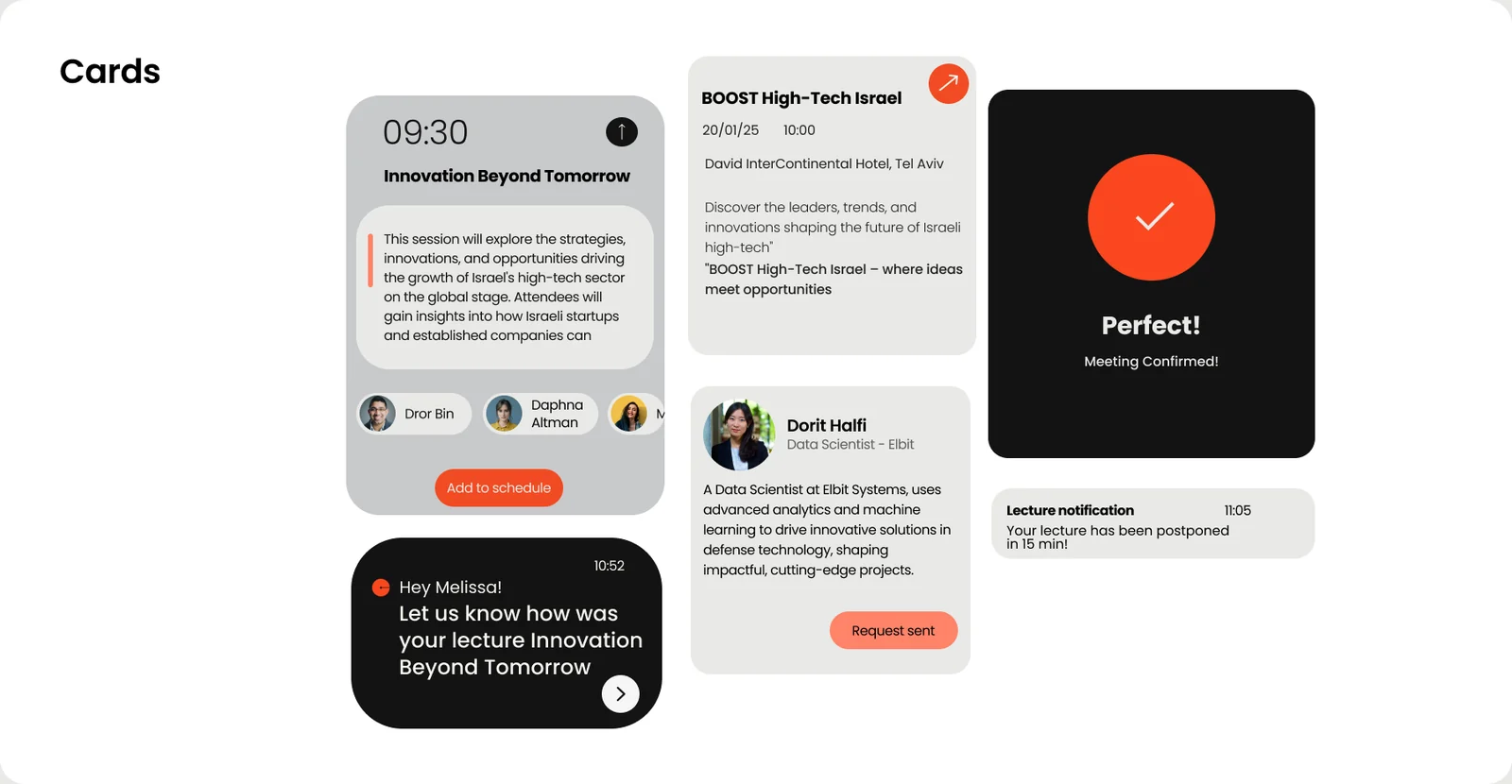
Cards

Logo design
The logo inspired by "Calcalist," centered on a circular form that represents the individual as the heart of the experience. The line subtly shapes the letter ‘C’. The orange tone reflects its innovative spirit and link to the brand.