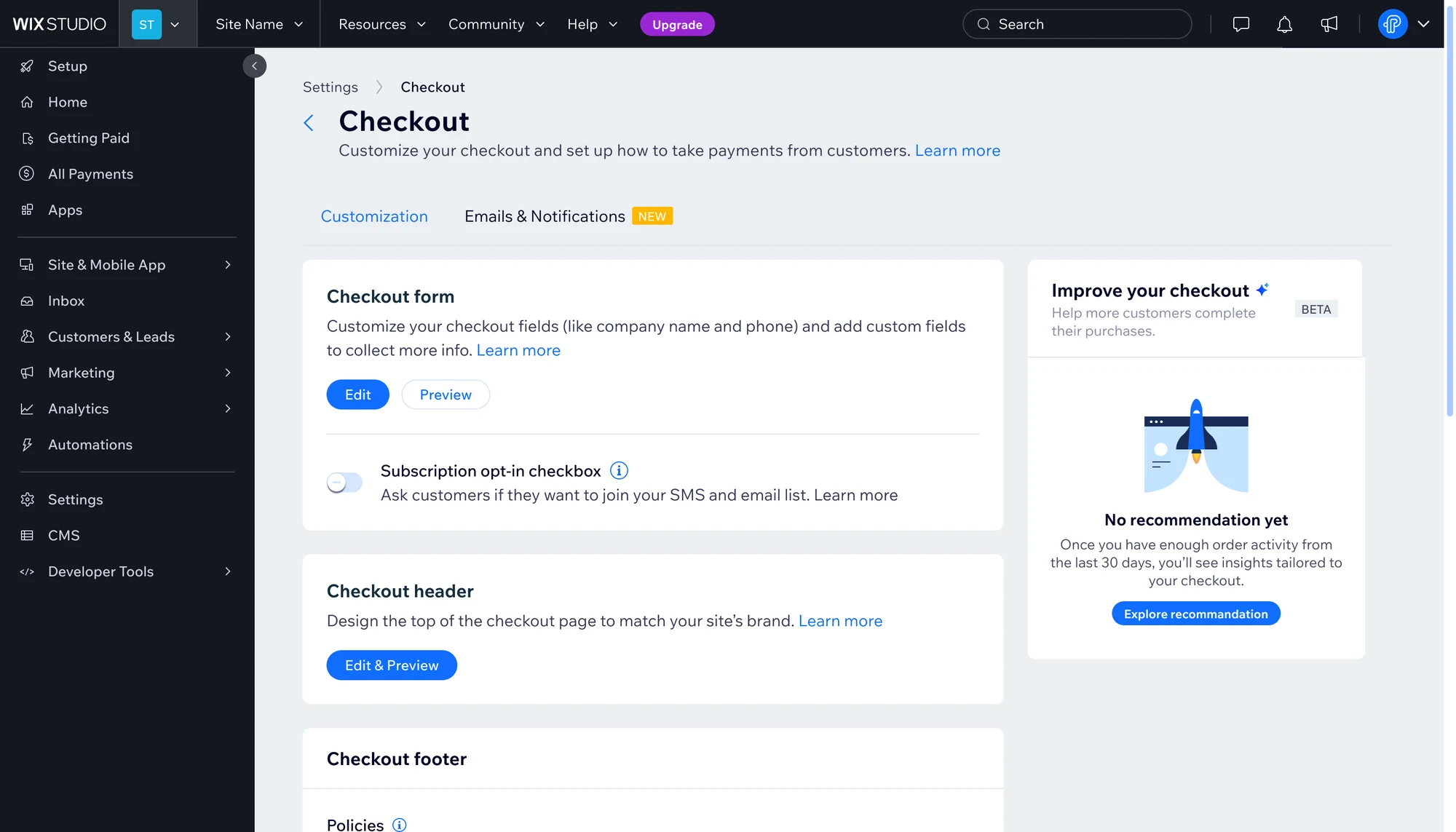
An AI based recommendations built into Checkout Settings that transforms checkout data into guided, data driven optimization.
- Role
- UX/UI Designer
- Team
- PM, BE, FE, BA, QA
- System
- Wix Design System
- Year
- 2025
The problem
Merchants know checkout is critical, but:
- They don’t know where in the flow they’re losing buyers
- They don’t know what to change in checkout settings
- Existing reports are static and hard to translate into action
Result
- Missed revenue from avoidable drop offs
- Underused capabilities (express checkout, branded checkout, coupons, etc.)
- Support and AMs answering the same “why is my checkout not converting?” question
The solution
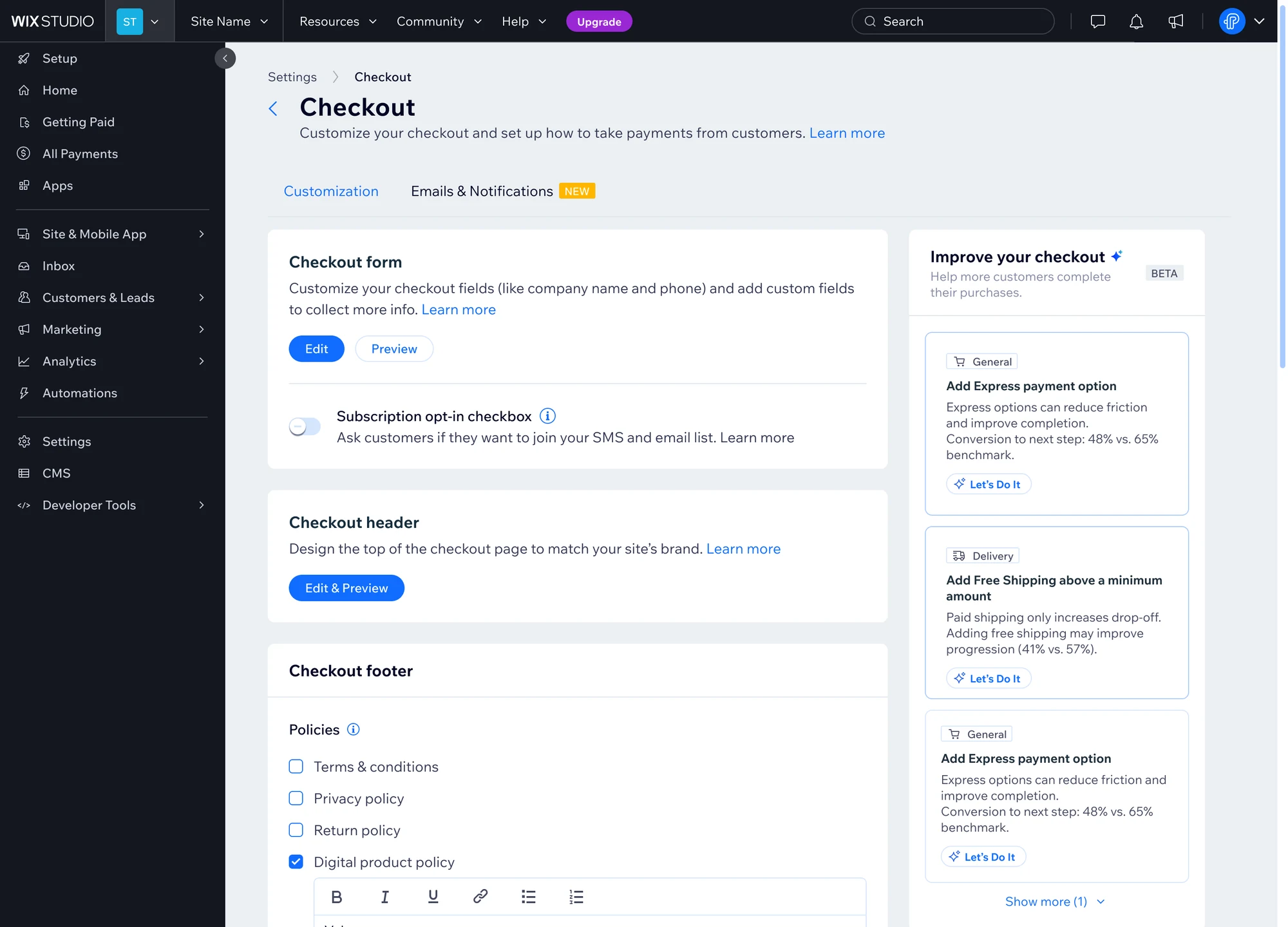
An AI Checkout Conversion Agent that sits inside Checkout Settings.
From analytics and guesswork → to guided, data driven optimization.
My role
As a UX Designer on a cross functional team, I framed the problem and use cases, synthesized research, defined the Collect, Analyze, Recommend model, and designed the recommendation experience in Checkout Settings using the Wix Design System.
User voices
What merchants asked, in their own words, in Wix User Voice and in the Wix AI assistant.
-
“I’m very excited you have a customizable side cart though! … But I have one last question - in the last week, 71 people have added to cart but only 7 checked out. Can anyone help with why it’s so low and how I can increase conversions?”
Wix merchant · Premium, DIY · Wix User Voice -
“I’d like to ask another question: can the checkout process be optimized?”
Wix merchant · Premium, DIY · Wix User Voice -
“I would like to know if there is any option to customize my store checkout, so it is more convenient and has better conversion rate. That includes: brand background color, form label (border, corners), butto…”
Wix merchant · Premium, Target Partner · Wix User Voice -
“applier the best checkout in my website”
Message to the Wix AI assistant -
“I want it to be a one click checkout and high converting”
Message to the Wix AI assistant
Merchants didn't want another chart. They wanted the tool to do the thinking.
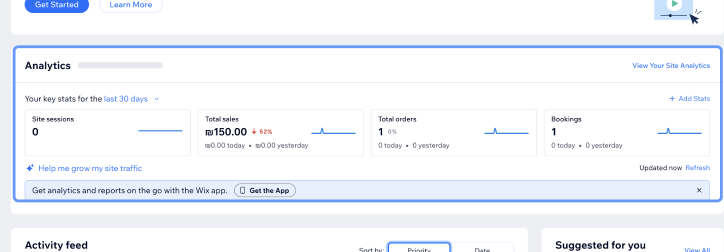
I started by looking at how Wix presents analytics today, to understand what a regular user actually sees.
Then we looked at competitors like Shopify, to see whether they offer similar tools and how they present them.
The assistant could offer general guidance, but struggled to turn store specific challenges into clear, actionable next steps. The opportunity was to move beyond advice and help merchants understand what to do next.
What Is the Checkout Conversion Agent?
A smart layer inside Checkout Settings that:
Insights
- “Your largest drop off is at Customer Details.”
- “Drop off here is higher than similar businesses.”
Recommendations
- “Reduce required fields from 12 to 6.”
- “Enable express checkout for mobile buyers.”
Actions
- Go to Checkout Form
- Enable Express Checkout
- Review Payment Methods
The concept: data, insight, recommendation, action
A smart layer that runs in three steps:
Collect
Buyer, item, locale, industry, season, settings
Fields. "Company name is required, but most of your buyers are consumers."
Analyze
Against a data model and similar store benchmarks
Funnel. "30% drop at Customer Details, higher than similar stores."
Recommend
A concrete change to a specific setting
Configuration. "Express checkout isn't enabled."
Percentages are illustrative.
A key decision: one benchmarked number, one action
The goal wasn't to give merchants more information, but to help them identify where to focus. Each recommendation connected a store specific insight to a measurable benchmark, making the opportunity clear and the next step concrete.
The design: one component, one anatomy
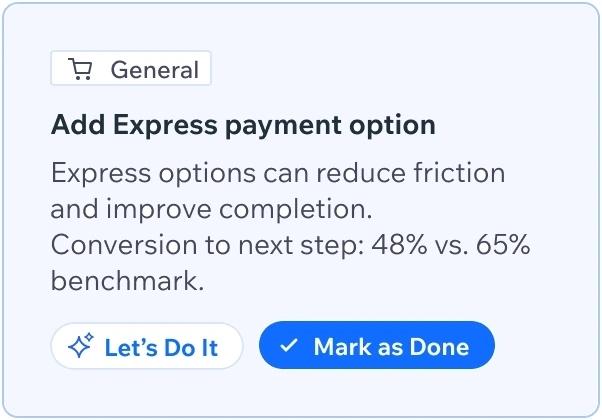
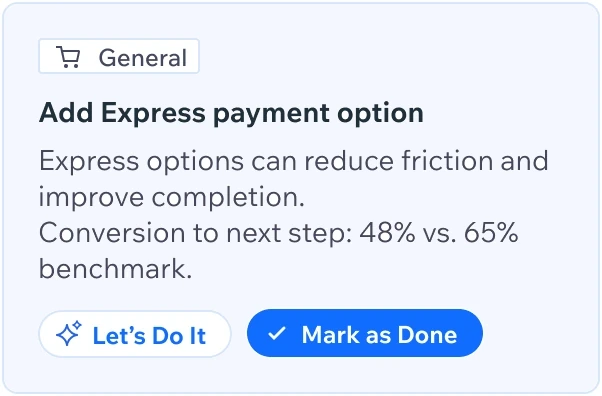
I translated this principle into a reusable recommendation component. Every recommendation uses the same structure, so merchants learn to read it once and know how to act on it.
- Tag: relevant area
- Recommendation: suggested action
- Title: the actual suggested action, which can remain relatively standard across users.
- Reasoning (personalized): explains why this recommendation matters, using their data.
- CTA
- Let’s Do It: navigates to Aria and performs the action, the user only needs to approve.
- Show Me How: navigates to the page and opens Aria with instructions.
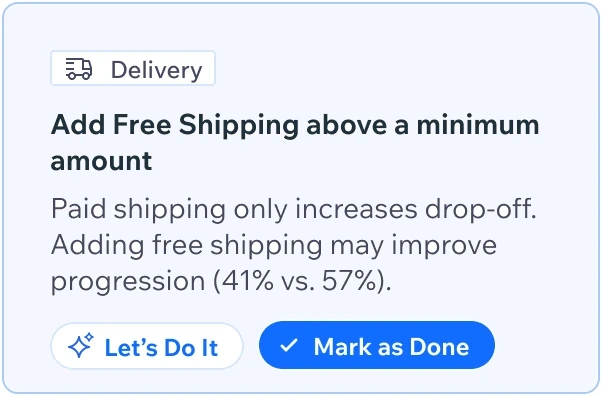
{  "category": "Delivery",  "action": "Add Free Shipping above a minimum amount",  "reason": "Paid shipping only increases drop off.",
"metric": { "store": 0.41, "benchmark": 0.57 }, "cta": { "label": "Let's Do It", "via": "Aria" }}Paid shipping only increases drop off. Adding free shipping may improve progression (41% vs. 57%).
Let’s Do ItTurning recommendations into action
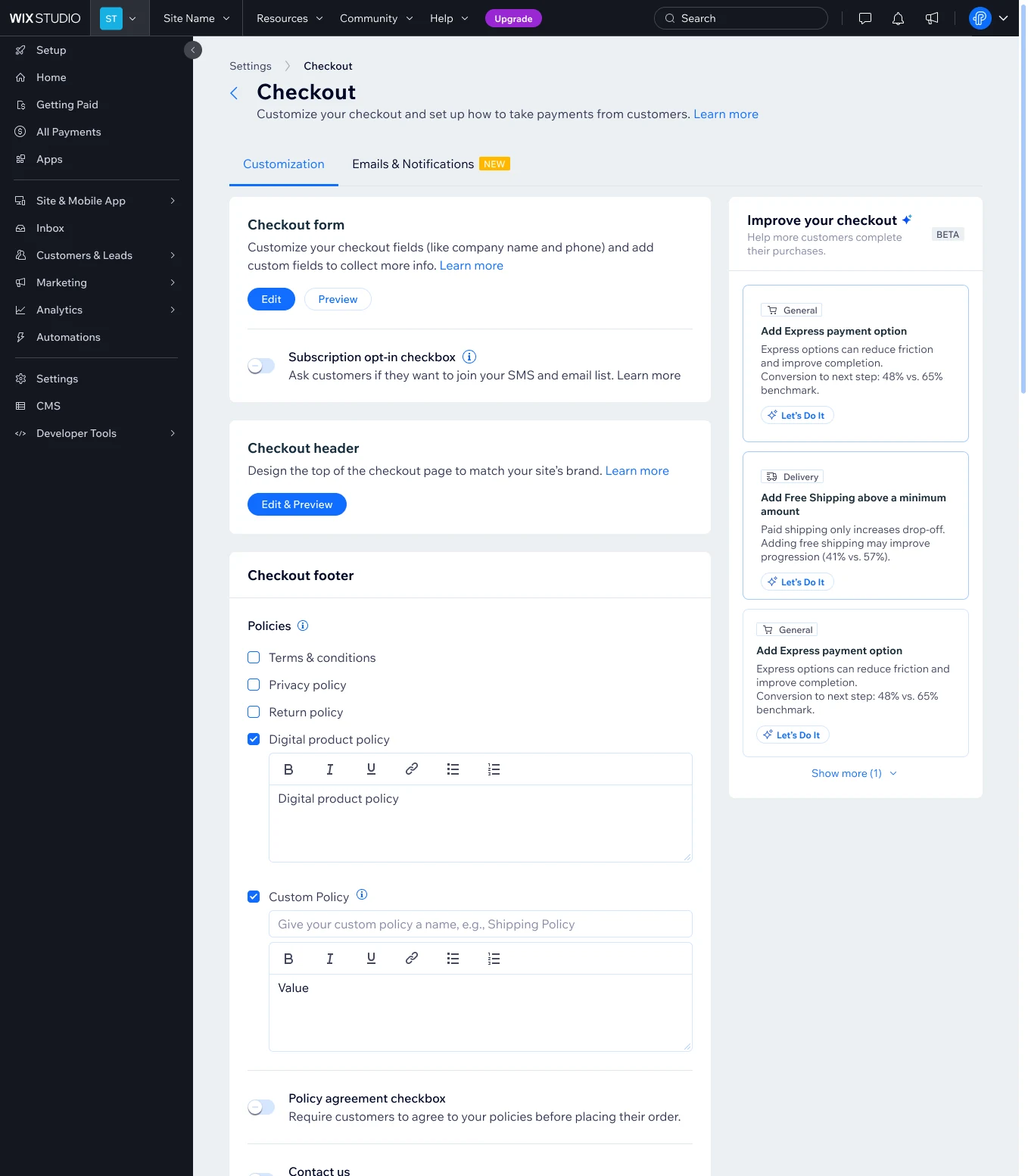
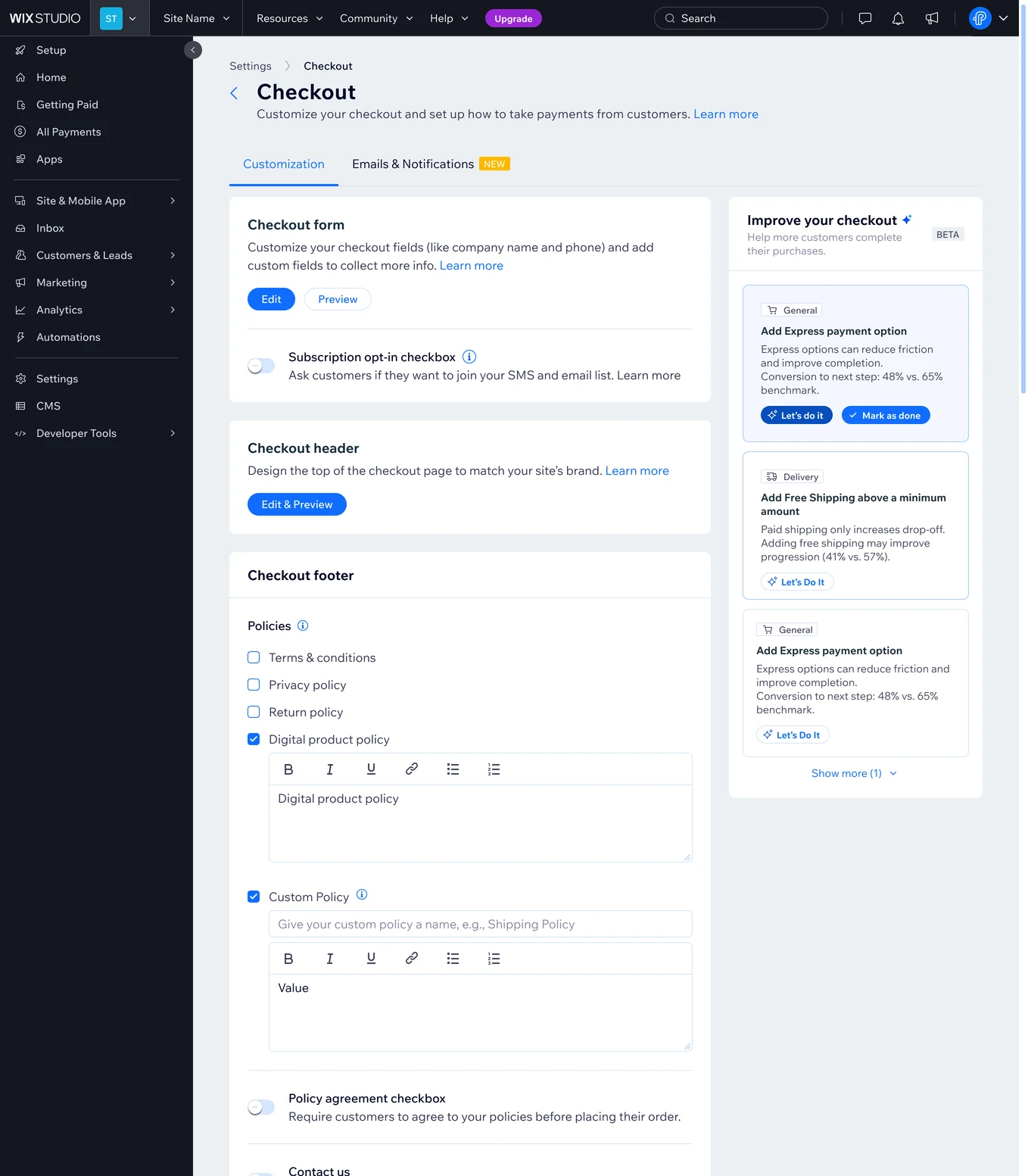
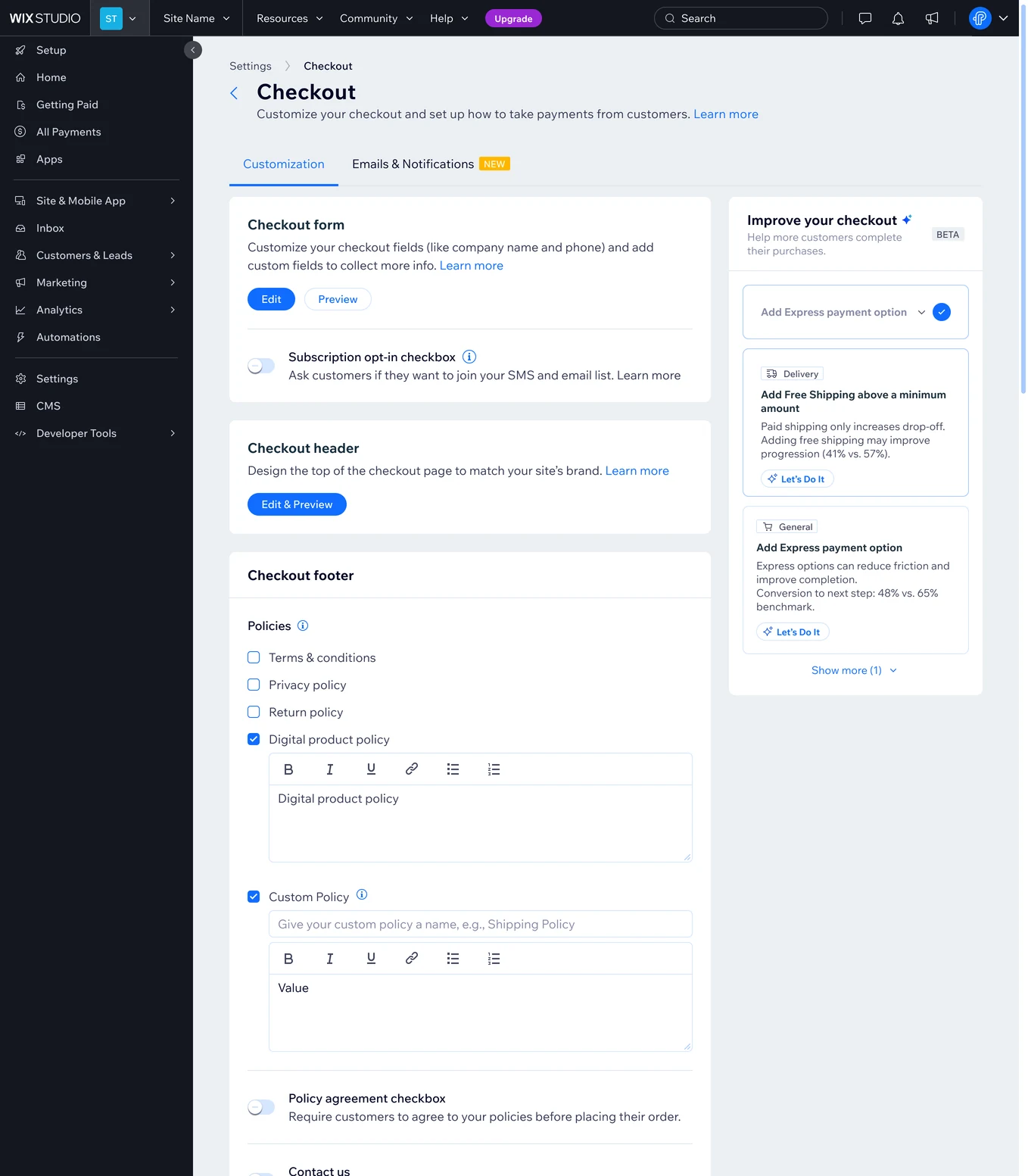
The recommendations were directly related to checkout configuration, so I placed the agent inside Checkout Settings, alongside the settings it recommends changing. This keeps the guidance close to the controls merchants need to act on.
Iterations
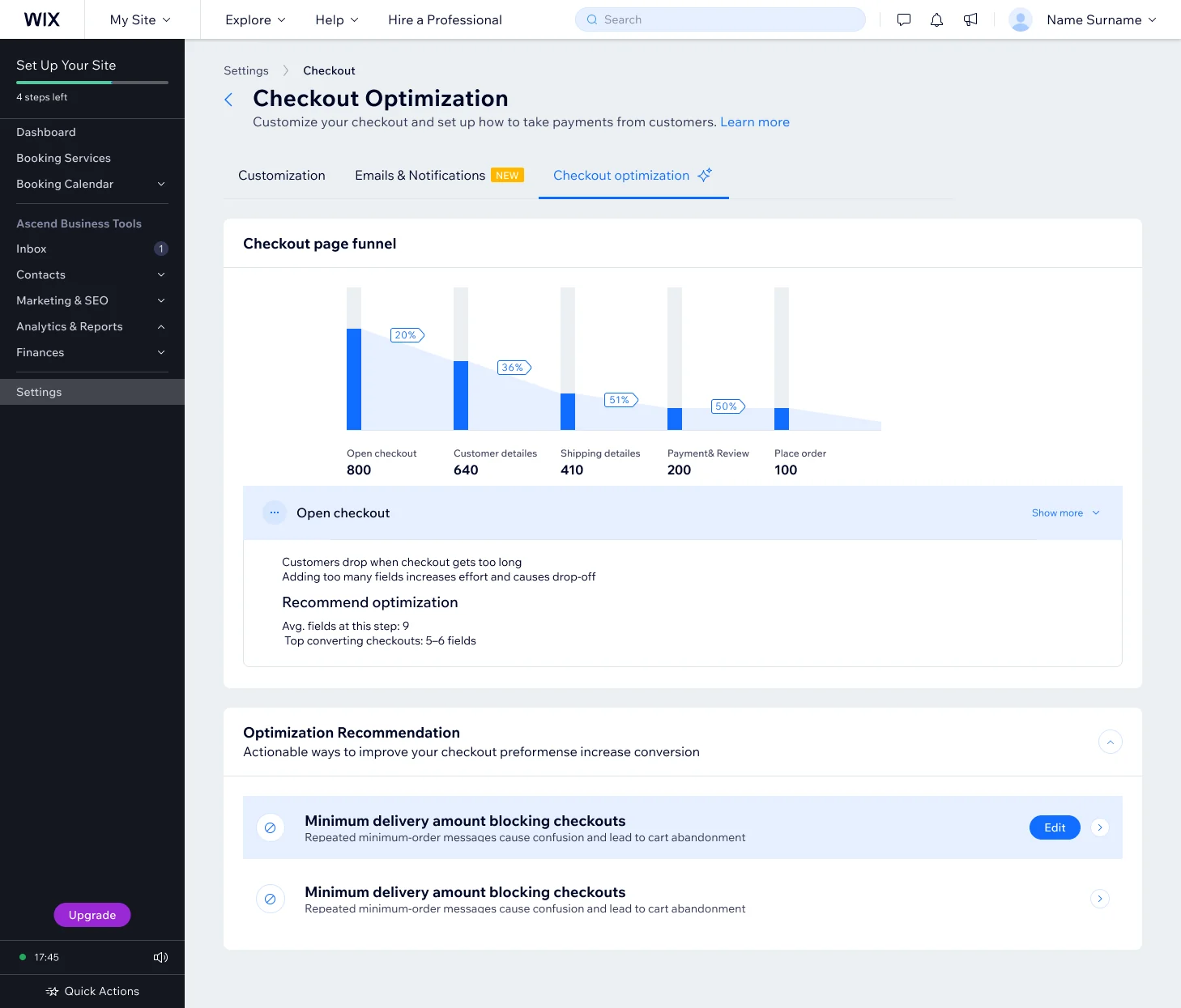
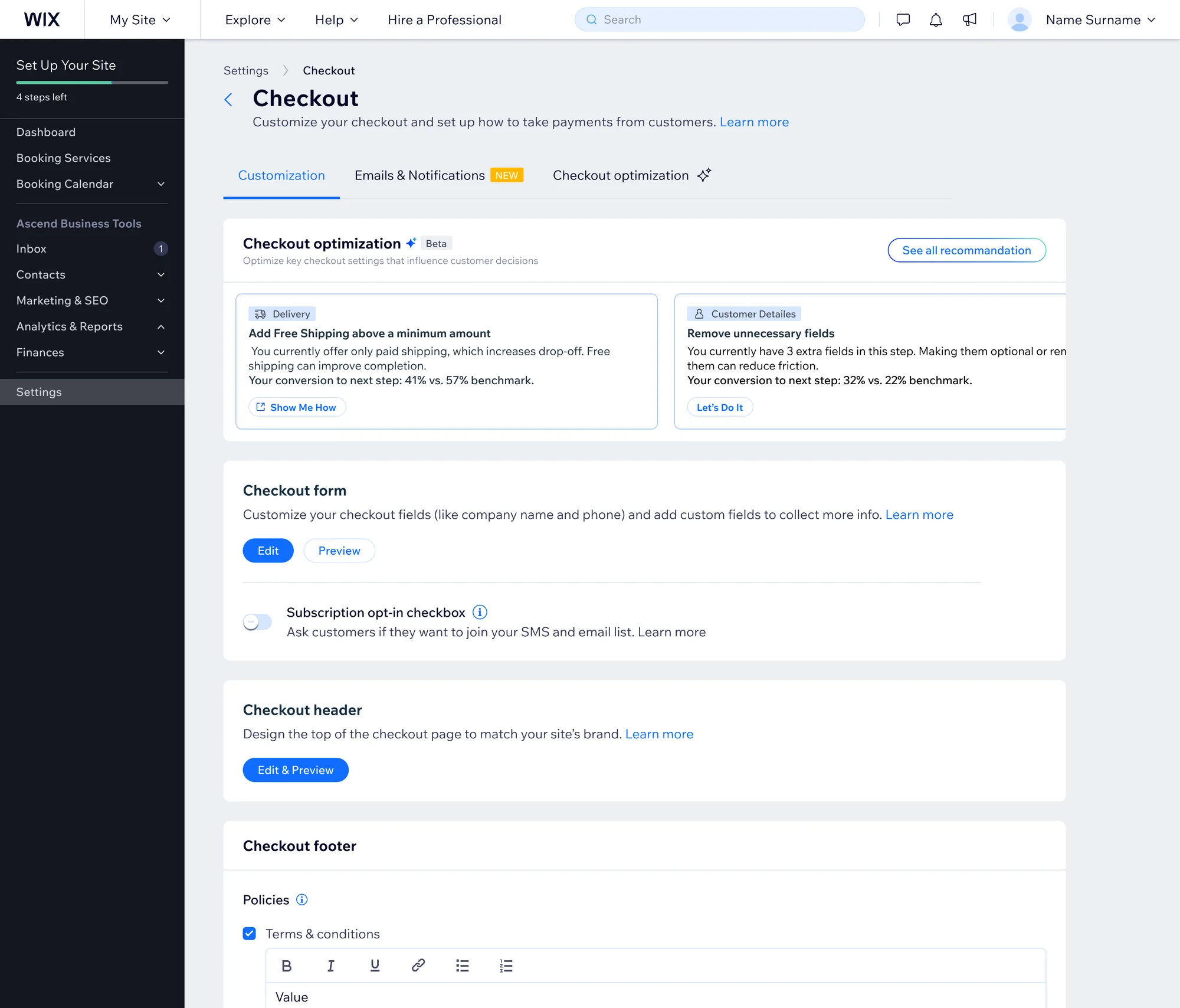
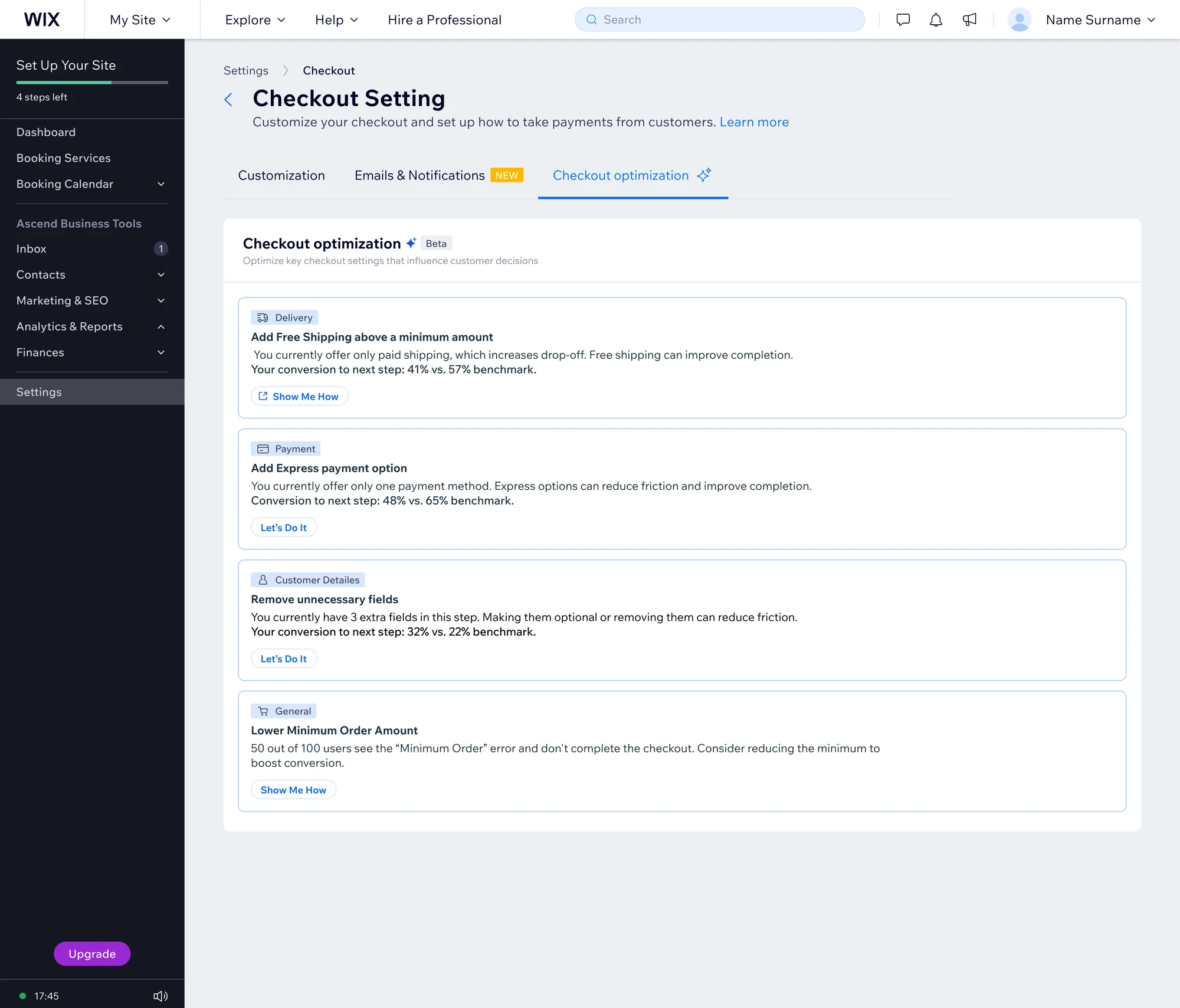
1. Where should the recommendations live?
We explored several placements for the recommendations panel to find the right home for it. Placement mattered: if the panel was hidden away, most merchants would never see it, and the value would be lost.
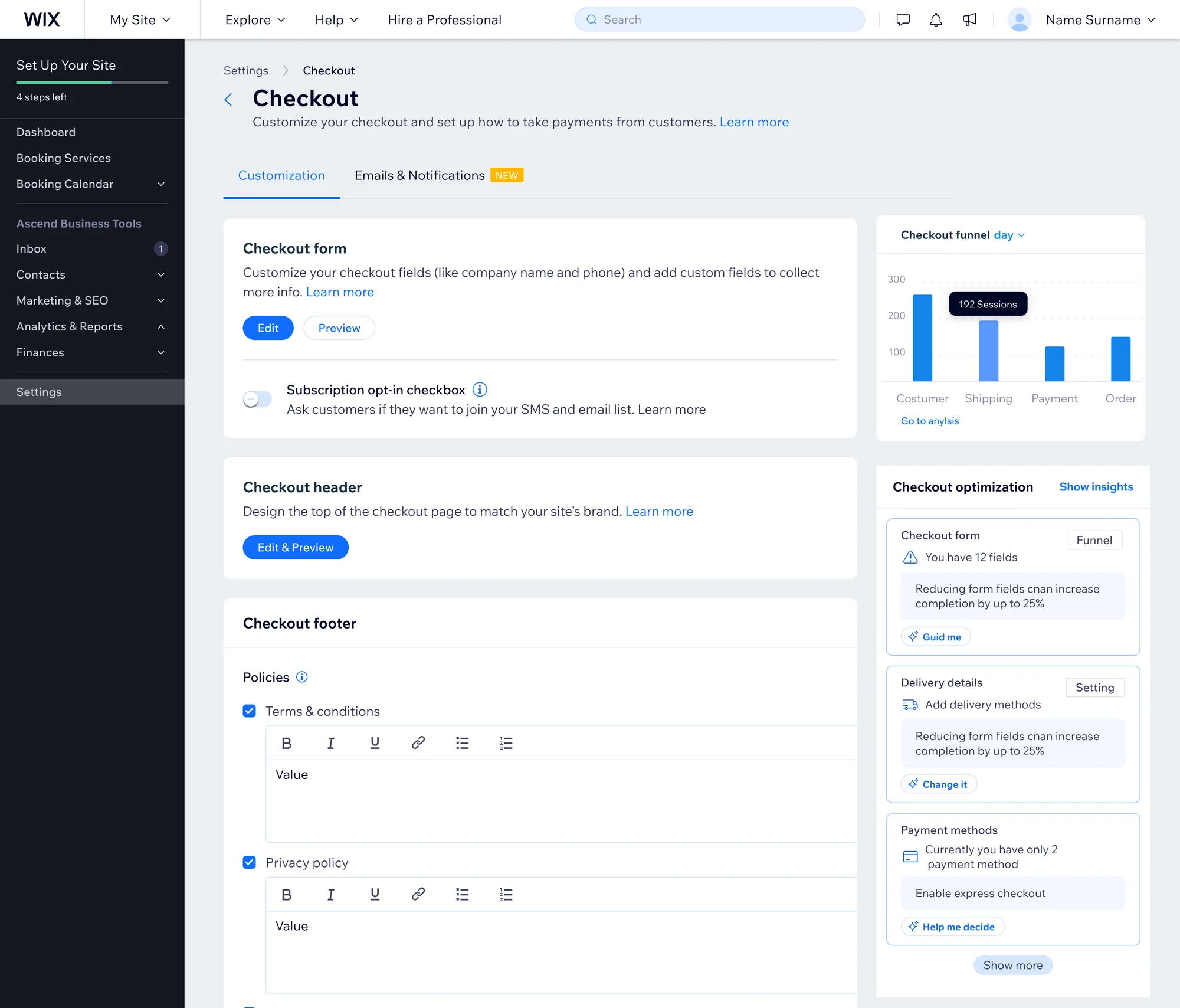
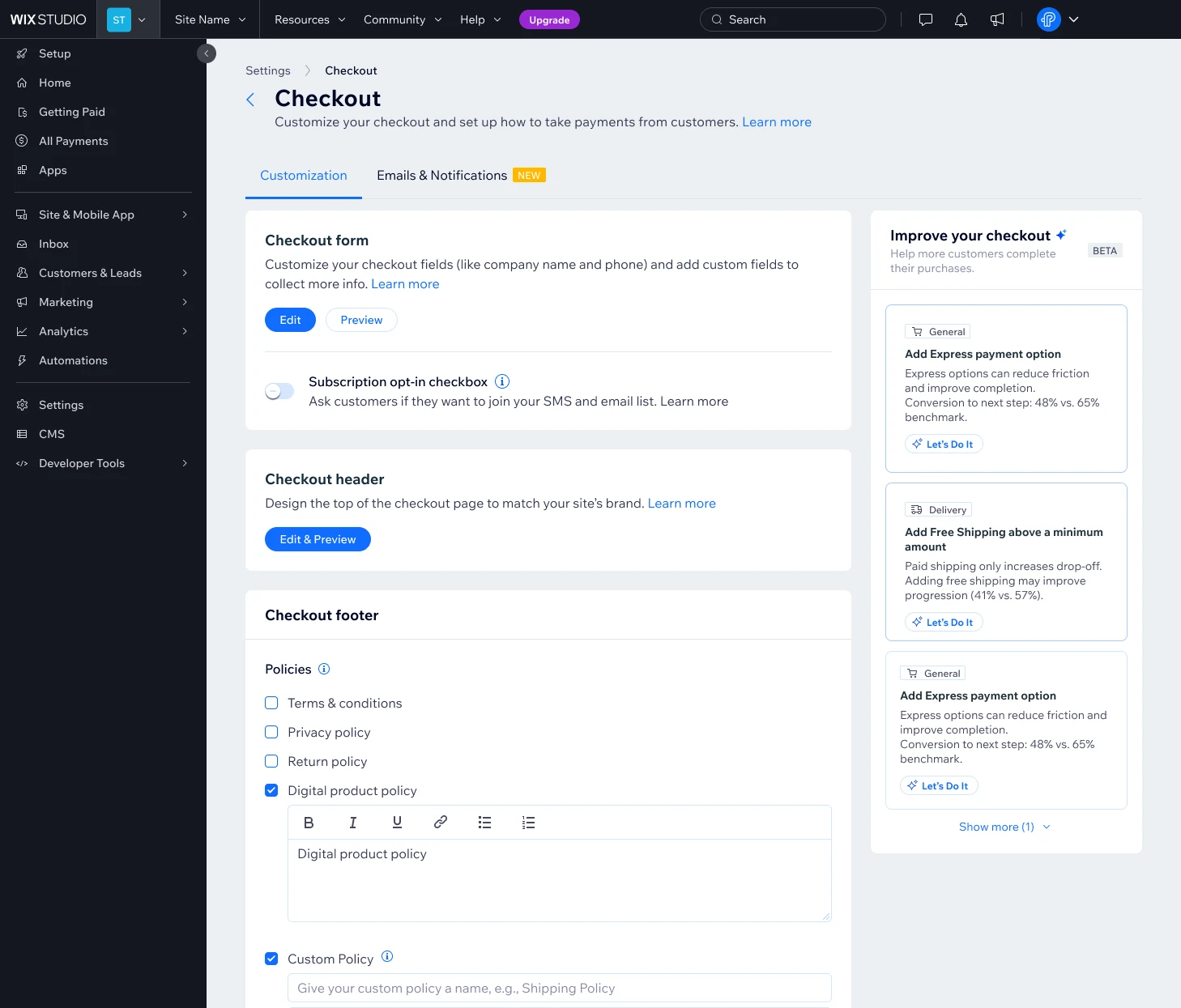 Chosen
2. How much data fits in one card?
Each recommendation carries a lot of data. We iterated on how to show it in a single card: enough to act on, relevant to the merchant, and short enough not to overwhelm.
3. Iterations on the AI output
UX decisions
The recommendations were connected to relevant checkout performance metrics to:
- 01Highlight measurable opportunities for improvement.
- 02Ground suggestions in store data and benchmarks.
- 03Connect insights to actionable changes.
Assistant improvement opportunities
- 01Best Practices
Actionable guidance on setup and conversion optimization.
- 02Testing Guidance
Step by step instructions for testing user flows.
- 03Complex Scenarios
Support for mixed carts and different business types.
- 04Error Handling
Recognition of common errors and troubleshooting guidance.
- 05Third Party Integrations
Explanations and setup guidance for external tools.
- 06Checkout Flows
Clear explanations of different flows and their variations.
Making AI trustworthy before it reaches merchants
The model reads the store's own data and returns structured recommendations. Before any of it reached merchants, we checked it in stages: manual review, then a model judging a sample of sites, then repeated runs on a larger group.
Every recommendation had to be short (action up to 80 characters, reason up to 160), grounded in the store's data, and prioritized: revenue first, then drop off, then friction.
Rollout plan
A gradual release, so the recommendations could be checked on real stores before reaching everyone.
- ~10K Stores users
- Run for ~2 weeks
- Check that recommendations are created and look good, review results and make prompt improvements if needed.
- Full Stores Rollout: Expand to all Stores users
- Gradual Expansion: Roll out to additional verticals gradually
- Automatic completion: The system detects when a recommended action was done, sends a signal back, and marks it as done on its own.
Reflection
The hardest part of this project was that everything was built on AI. We held weekly progress meetings to make sure we brought merchants the best experience and relevant information they could actually use, so that in the end they could improve their conversion.
Designing for AI taught me to design for output I can’t fully control.