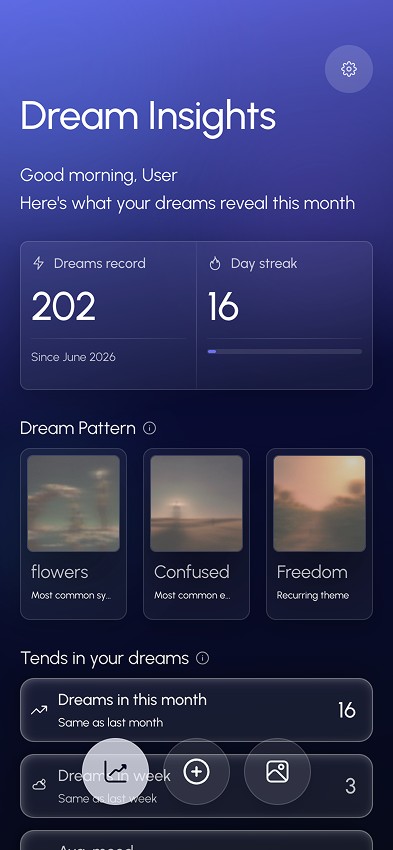
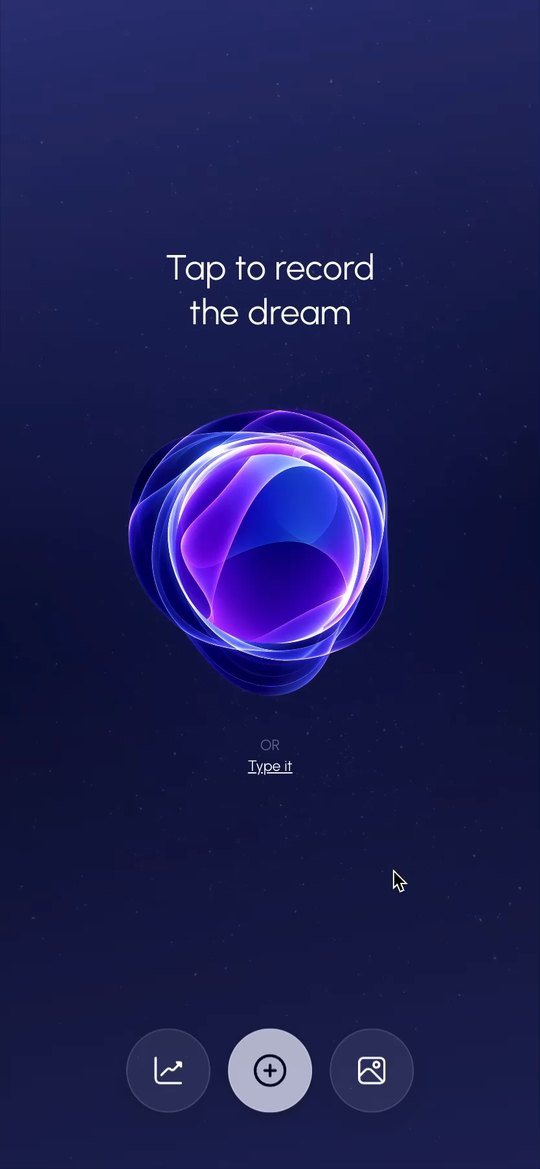
A bilingual app that captures a dream before it's forgotten, finds the patterns that repeat across your nights, and gives each dream a visual, meaningful interpretation.
- Role
- Solo: research, UX, UI, build
- Platform
- Mobile, Hebrew and English
- Type
- Self initiated
- Year
- 2025–26
The problem
Why do I keep dreaming this?
Most people have asked it. Dreams repeat their symbols, but the feeling fades within minutes, so the pattern never gets noticed.
The app catches the dream before it's forgotten, and shows what keeps coming back.
Who it's for
For anyone who wants a personal dream journal: a private place to record every dream and slowly discover the patterns in their sleep.
Research
The research took several directions, each answering a different part of the question: What can visual dream imagery tell us, and how can we turn it into something people can explore?
-
01
The cultural lens
I explored visual imagery in contemporary Israeli dreams, looking for recurring themes, emotions, colors, and situations. This included academic research alongside a collection of anonymized dream accounts.
- Themes
- Emotions
- Colors
- Situations
-
02
The symbolic lens
I looked at how dreams have been interpreted across psychological and semiotic frameworks, including Jungian archetypes and the relationship between symbols, emotions, and personal meaning.
- Jungian archetypes
- Symbols
- Personal meaning
-
03
The personal lens
I examined how the same image can carry completely different meanings depending on the dreamer's experiences and associations. This became an important constraint: the app could suggest interpretations, but couldn't treat them as universal truths.
- Experiences
- Associations
-
04
Turning research into a system
The different research paths were translated into a framework for reading dreams consistently, considering their imagery, emotional intensity, recurring elements, and the dreamer's own context.
- Imagery
- Emotional intensity
- Recurring elements
- Context
All of these layers were tested against real, anonymized dream accounts and became the foundation for the product's visual language, interpretation model, and core features.
UX decisions
Three calls shaped how the app feels to use.
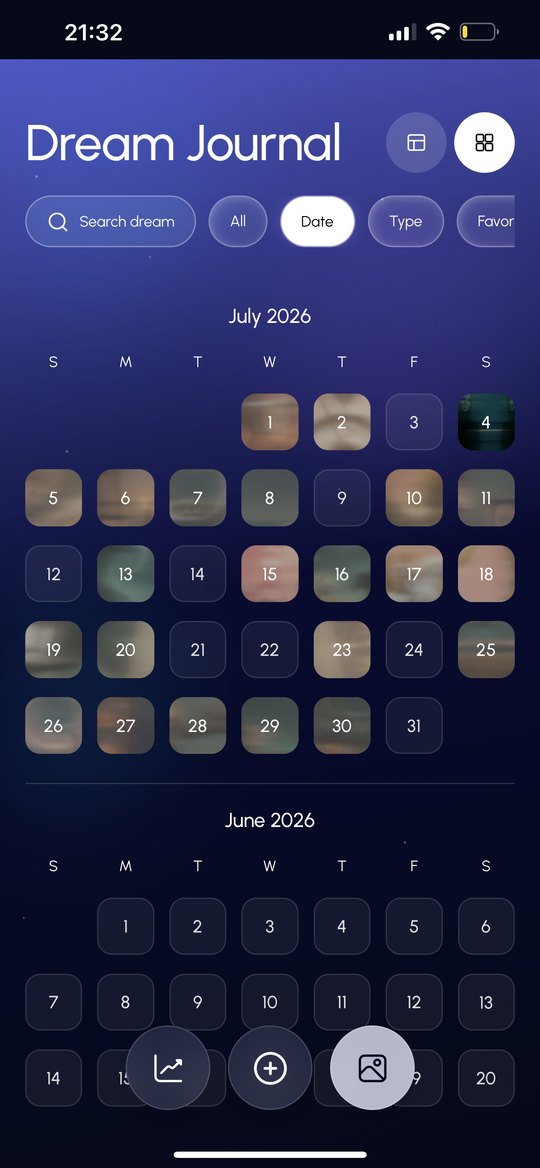
A calendar that's also a gallery
- Tension
- A dream journal needs a timeline, but a list of entries is easy to forget.
- Call
- Each night on the calendar shows its dream's generated image.
- Why
- The calendar holds the timeline. The images make it worth revisiting.
From single dreams to recurring patterns
- Tension
- One dream explains a moment, not why the same themes keep returning.
- Call
- Analyze dreams across months to surface recurring symbols and themes.
- Why
- Only the long view can answer "Why do I keep dreaming this?"
Voice first, writing one tap away
- Tension
- Research showed speaking captures a dream faster, but some mornings writing feels right.
- Call
- "Tap to record" as the main action, with "Write instead" always one tap away.
- Why
- Less effort to catch a fading memory, without taking away the choice.
The concept: a loop, not a log
- 01CaptureVoice or text
- 02Break downSymbols, emotion, association
- 03InterpretGeneral and personal
- 04See itA generated image
- 05TrackPatterns over time
The tracking step is what separates it from a journal: recurring symbols and emotions surface on their own.
The design: nocturnal, soft, readable at 6 a.m.
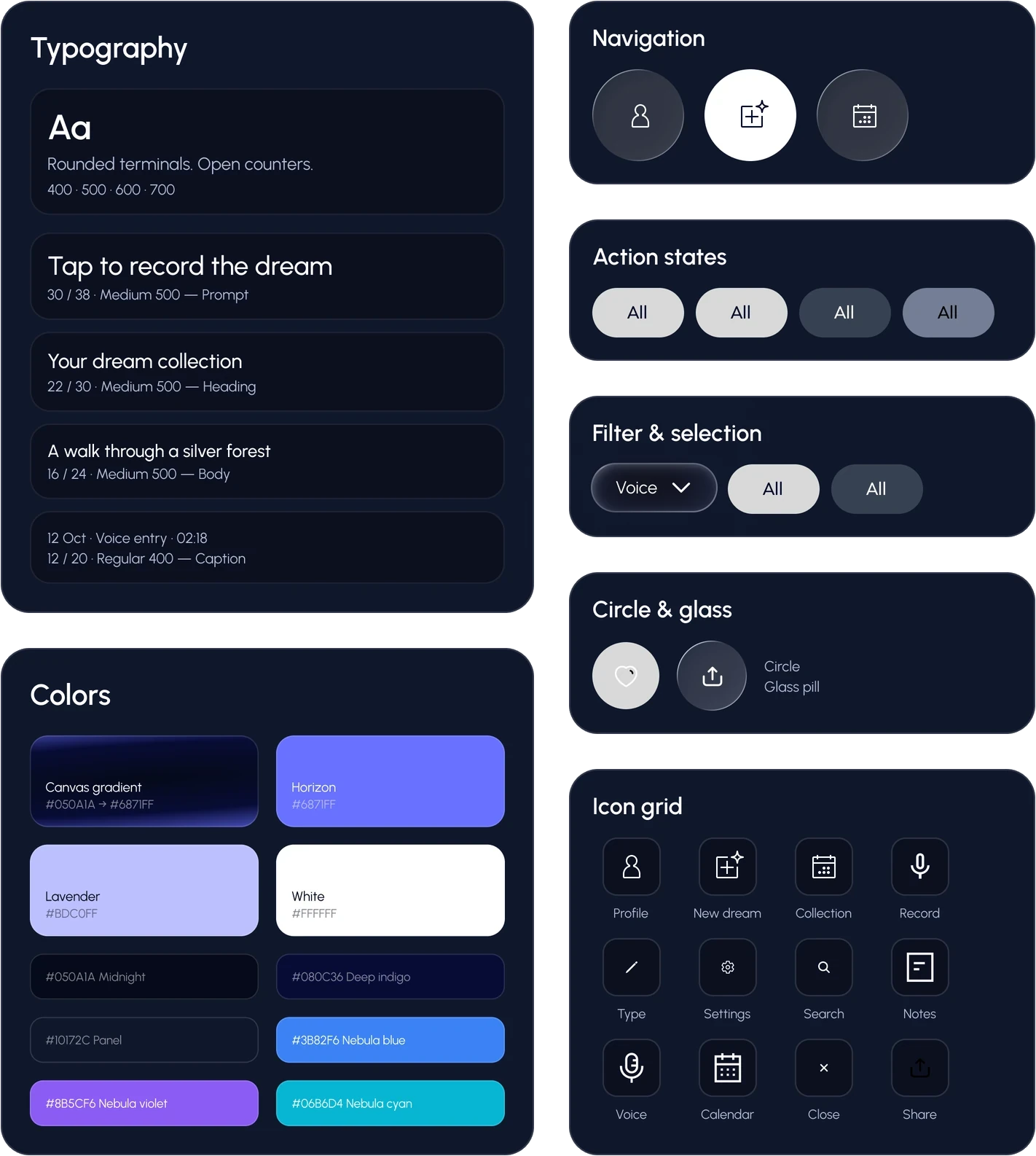
A night sky system of navy and violet gradients with frosted glass surfaces. Emotions are tagged in color so patterns are visible at a glance. The app is right to left first, with Hebrew as the primary language, and the onboarding copy is written to feel calm rather than clinical.
Key screens
Swipe through the screens. Tap the one in the middle to flip it and read what it does.
-
OnboardingCapture your dream while the details are still fresh.
-
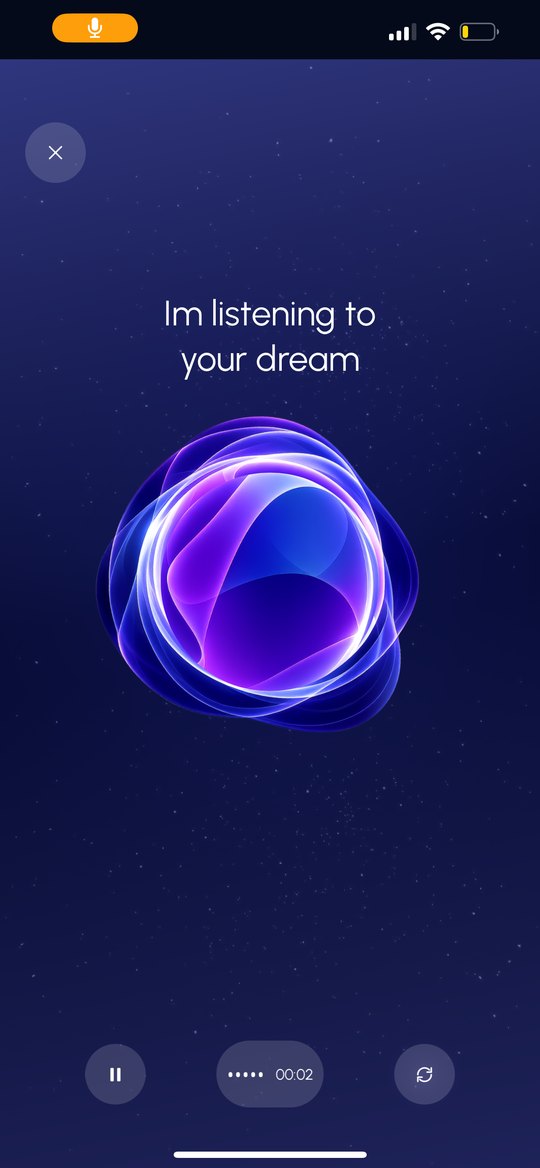
Record and loaderSpeak freely while Lucid captures the details of your dream.
-
Date galleryExplore the dreams you captured on a single night.
-
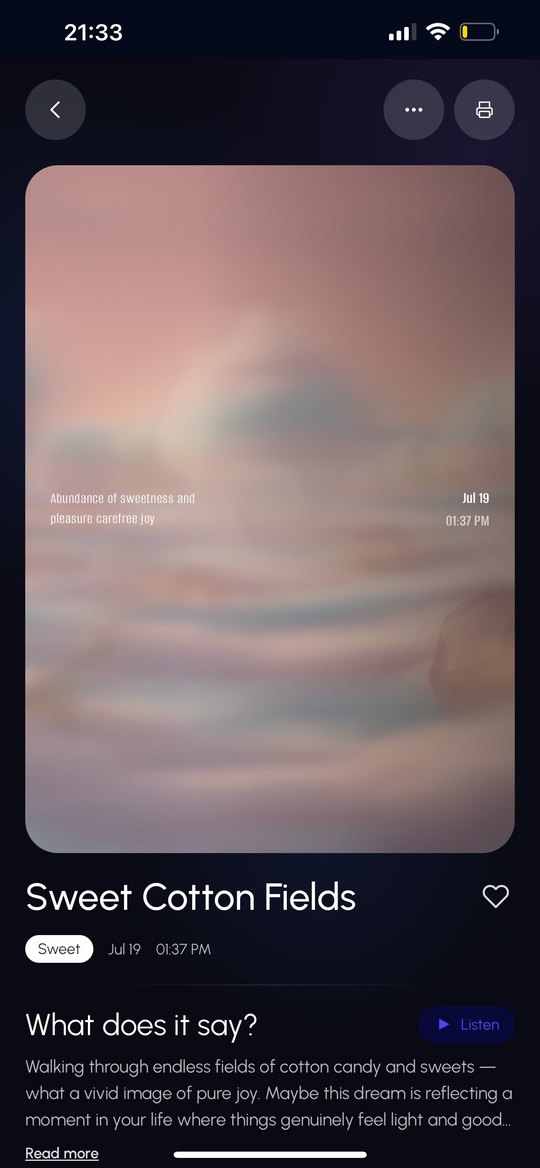
Individual dreamA visual interpretation of the dream, shaped by its symbols, emotions, and details.
-
Category gallerySee recurring symbols and themes across your dreams.
Building it myself
This was the first app I built on my own, and the first time I connected it to APIs. I designed it, then took it all the way to working code.
- Research & design01Research question
- 02Concept
- 03Design
- 04Design system
- 05Wireframes
- Build06Screens in codeTurning the Figma screens into real layouts is where CSS finally clicked for me.
- 07Image generation APIMy first API connection. I chose which image service to connect, then taught it how to turn a dream into an image, so every dream gets its own.
- 08Interpretation botClaude reads the dream and returns symbols, emotions and meaning as structured data.
- 09Voice recordingSpeaking the dream instead of typing it, wired into the same flow.
- 10Final resultA working app, with every piece connected.
A full design token system and a written prompt guide let me move designs into code with exact values, not approximations. The analysis engine is a TypeScript service that uses Claude through the Anthropic SDK, with tool use to return structured output: symbols, emotions and interpretation as data the UI can render.
What building it taught me
Designing for AI from the inside changed how I design for it. Structure the output, and the interface can be calm.
- I picked up tools I had never used and learned them by building.
- When something didn't work, I found the way through on my own.
- Screens, APIs, data and voice only become an app once every piece is wired together.
- Building the layouts myself showed me how the design actually becomes a page.
Key Learnings & Future Direction
Key Learnings
- 01Start with the build.
I designed first and learned the tools along the way. Today I'd start by learning how to build it and setting up the image and video generation, then move to design.
- 02A design system before code.
Every design change during implementation slowed me down. A system set up front would have saved that.
- 03Test every day, not once.
About 7 people used the app daily, and I improved it every day based on how they used it.
Future Direction
- 01Video instead of an image.
Users asked to see their dream as a video.
- 02Interpretation length.
Some wanted it shorter, others wanted more room for it. Next step: test both.