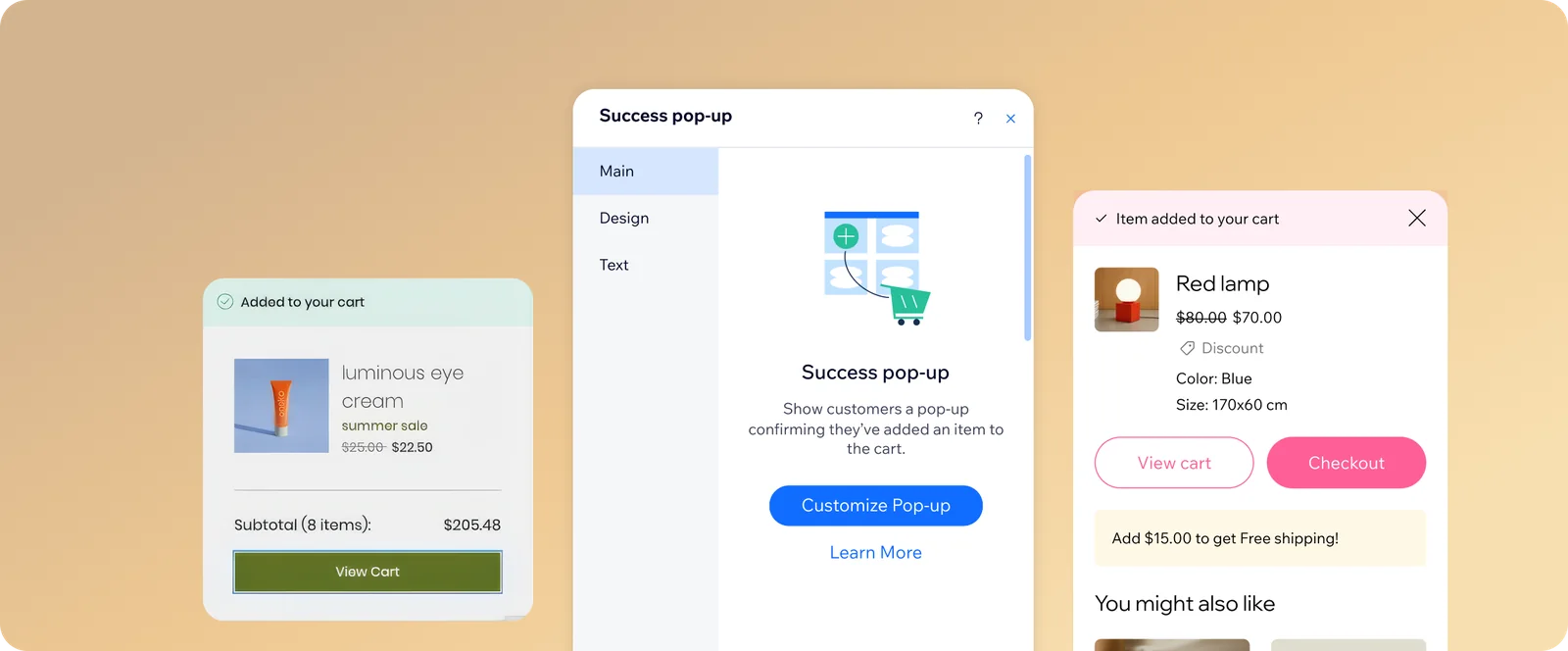
The pop up shoppers see right after “Add to cart.” I redesigned how store owners set it up and design it.
- Role
- UX/UI Designer
- Team
- PM, developer, architect
- Platform
- Wix eCommerce
- Year
- 2026
- Status
- Shipped
The brief
Part of improving the purchase experience, for shoppers and for the store owners who use Wix. The goal: refresh the Tiny Cart, make it stand out, and add new capabilities, like sales boosters, that help store owners increase their sales.
Starting point
Tiny Cart configuration was fragmented and limited: store owners had to manage settings across three places, with few customization options and no preview of the success pop up.
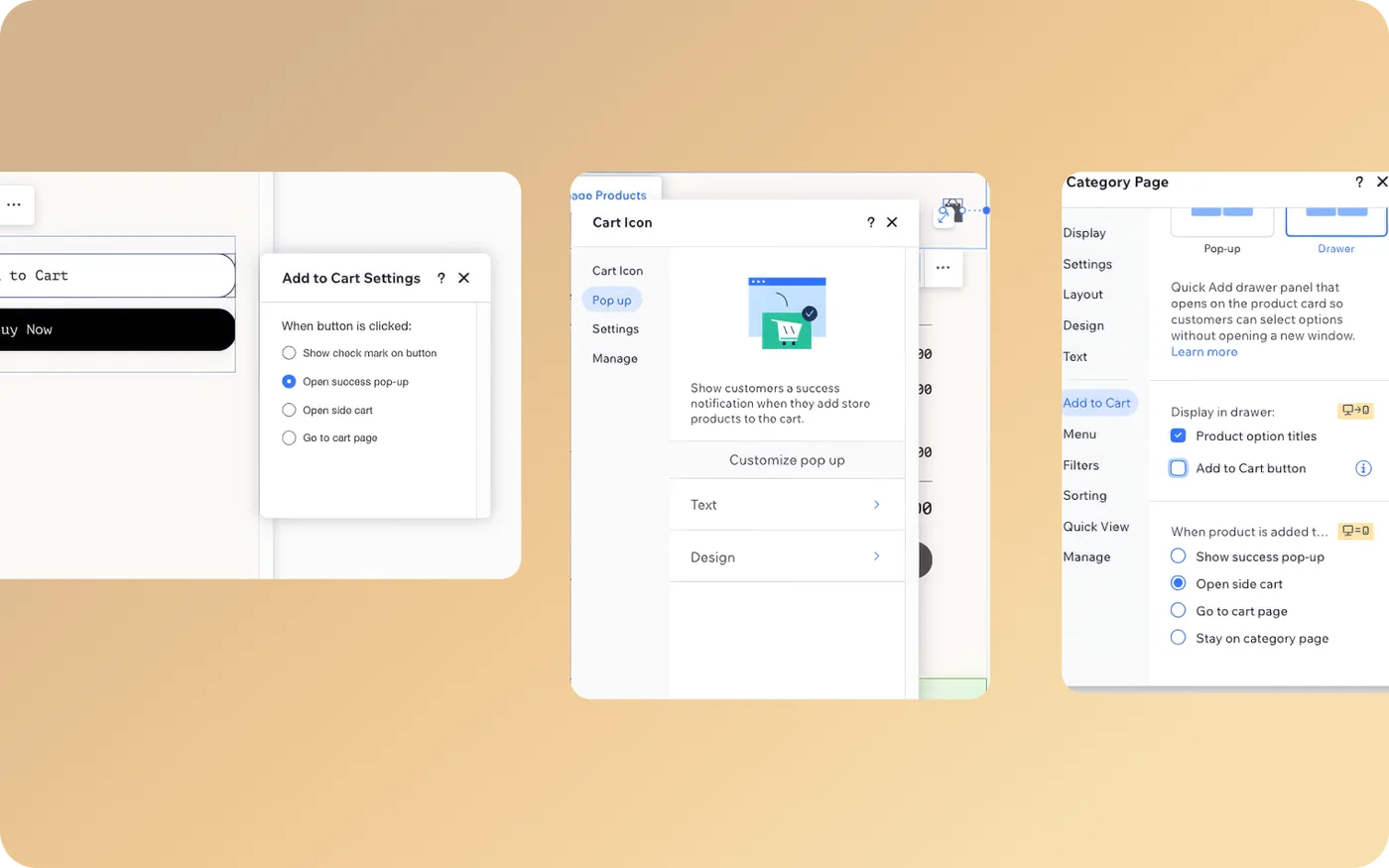 Before: the cart icon settings panel
The problem
We identified 3 main problems:
- Store owners designed it blind.There was no preview of the pop up, so they couldn't see what they were designing.
- The settings were scattered.Design lived only in the cart icon settings, and behavior was set in three different places.
- The code was legacy.The Tiny Cart had to be rewritten, which made it the right moment to rethink the whole experience.
The solution
We redesigned the Tiny Cart with its own section in the Editor and improved customization, so store owners edit everything in one place.
- 1. Its own section in the EditorOne entry point to editing, with separate panels for design and customization.
- 2. Live previewStore owners see the pop up as they design it.
More: Phase 2
Also new: A checkout button, and clearer item and discount display.
Phase 2: Routing per entry point, so store owners choose Side Cart or Tiny Cart for each one, and two sales booster slots.
Key decision: Where store owners design the Tiny Cart
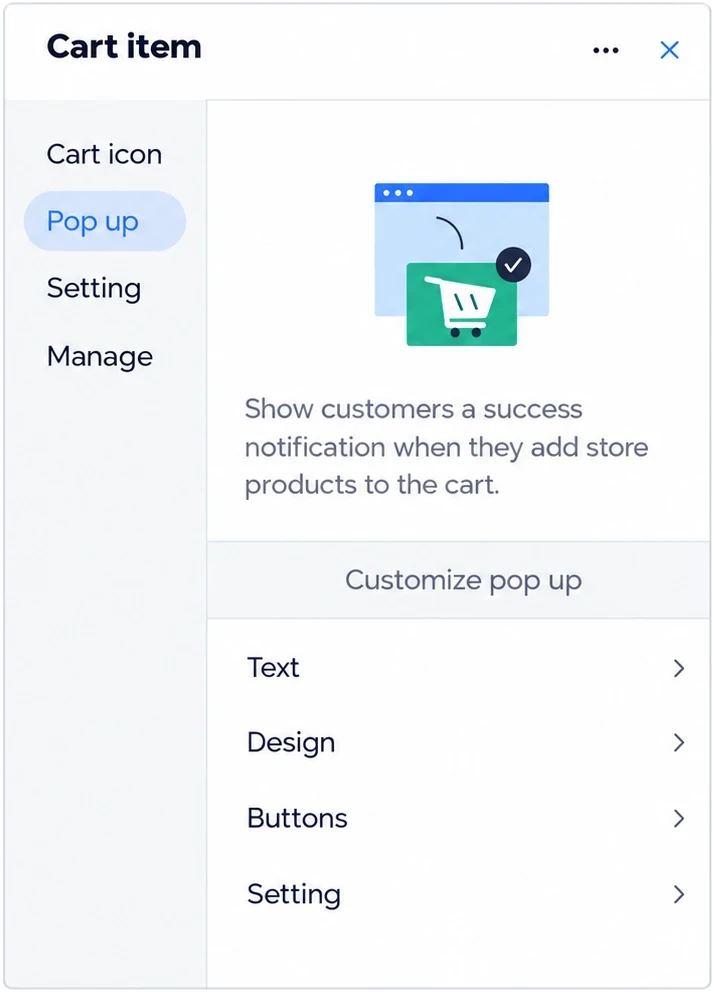 Concept 1
Concept 1. One unified cart panel
A single side panel with tabs for the cart icon, pop up, settings and management.
- Why not
- Everything in one panel made it crowded, and the pop up was still reached through the cart.
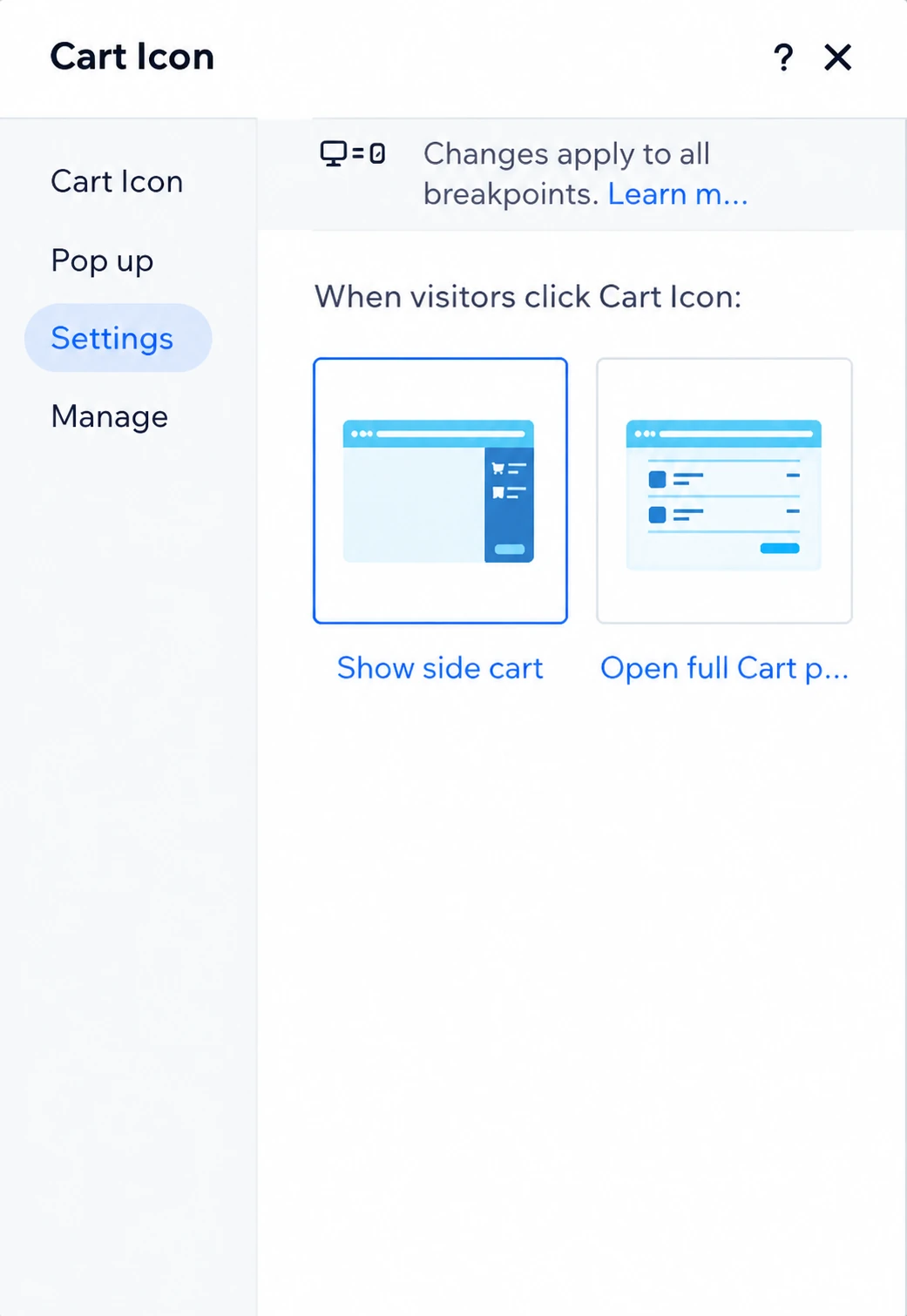 Concept 2
Concept 2. Inside the cart icon panel
Store owners choose what happens when shoppers click the cart icon: Side Cart, full cart page, or pop up.
- Why not
- Editing stays hidden in the cart icon, with no preview of the pop up.
 Concept 3
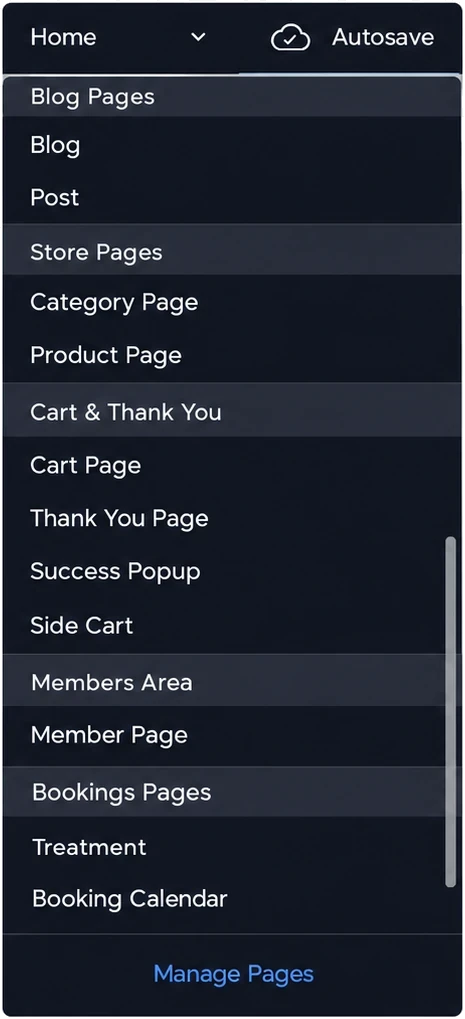
Concept 3. Its own page in the EditorChosen
The pop up cart appears under Store Pages, right next to the Side Cart.
- Why
- It follows a pattern store owners already know from the Side Cart, gives the Tiny Cart a clear entry point, and opens editing with a live preview. Access from the cart icon stayed, so existing users didn't face a dramatic change.
Editing flow
Step 01. Its own section in the Editor
When Wix Stores is installed, the Tiny Cart gets a dedicated section in the Editor. Editing opens from there.
Step 02. Design panel
Fonts, colors, backgrounds and button styles, with a live preview of the pop up.
Step 03. Customization panel
What the cart shows: the checkout button, discounts and item details.
Constraints
We planned more design options for the panel, but some were cut due to development constraints. We prioritized by two things: what mattered most to the purchase experience, and what could be rewritten most simply.
Learnings
1. Check what's possible early.Working with the developer and architect showed it's worth understanding the constraints at the start, not after the design is done.
2. Prioritize by impact and effort.When not everything fits, choose what matters most to users and what's simplest to build.
3. Respect existing habits.Keeping the old access point meant the change didn't come at the cost of users who were used to it.